Why can't I see a deal in Pipedrive?
If a deal isn’t visible in Pipedrive, it’s usually due to visibility or permission settings.
Access to deals depends on a combination of:
Because these settings work together, the easiest way to troubleshoot is to check with the deal owner. If changes are needed, a user with access settings access may need to update them.
How to confirm a visibility issue
A quick way to confirm whether the deal is hidden due to visibility settings is to ask the deal owner to open the deal detail view and share the deal link with you.
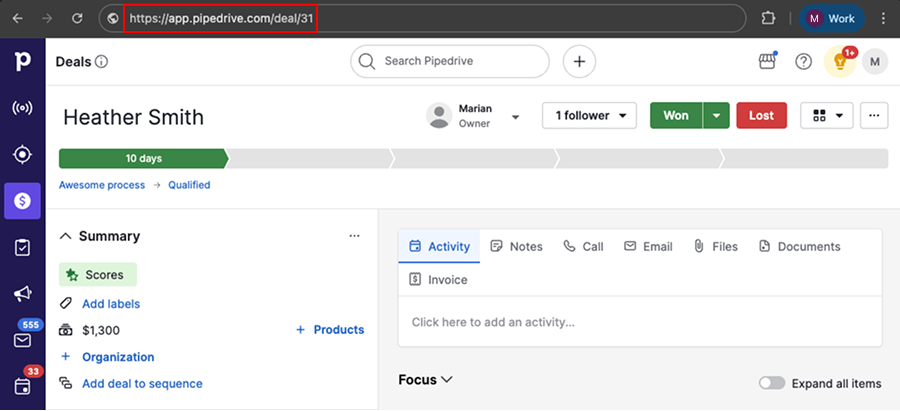
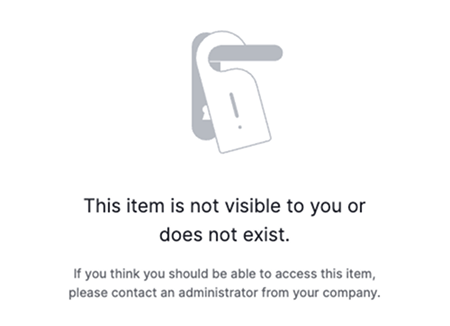
If you open the link and see an error message, the deal is restricted and you don’t have access to it.
What to check next
Check pipeline visibility
First, confirm that you can access the pipeline where the deal is located.
Open the pipeline selection dropdown and check if the pipeline appears in the list.
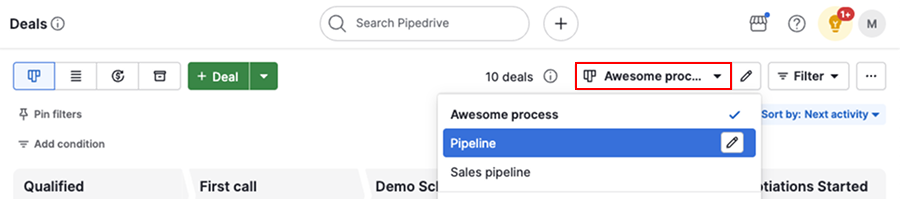
If the pipeline isn’t listed, you don’t have access to it. Therefore, any deals inside that pipeline will be hidden from you.
To fix this, ask a user with account settings access to update pipeline visibility.
As a workaround, the deal owner can move the deal to another pipeline you can access, but this may affect reporting in Insights.
Check deal visibility
If you can access the pipeline but not the deal, the issue is likely the deal's visibility settings.
Ask the deal owner to check the deal's visibility in the deal detail view.
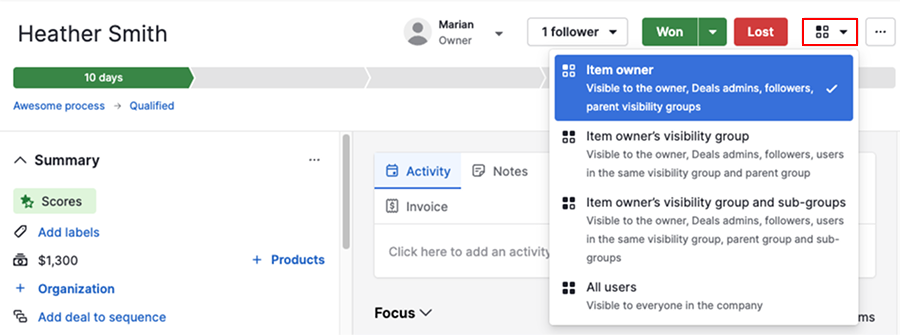
Depending on the selected option, the deal may be visible only to specific users or groups.
If you need quick access, the deal owner can either update the visibility or add you as a follower.
Some parts of the deal are hidden
If you can open the deal but some information is hidden, the restriction is usually due to permissions or the visibility of linked items.
| What appears hidden | What it usually means | What the user with account settings should check |
|---|---|---|
| Deal owner | You can’t see other users’ data | Global permission set |
| Contact person | You don’t have access to the linked contact item | Item visibility Global permission set |
| Organization | You don’t have access to the linked organization item | Item visibility Global permission set |
| Notes | You don’t have access to all the linked items | Item visibility of all linked items (deal, contact, organization) |
| Activity | You don’t have access to all the linked items | Item visibility of all linked items (deal, contact, organization) |
When to involve a user with account settings
If the issue isn’t resolved, ask a user with account settings access to review the broader configuration.
They should confirm:
- Users are in the correct visibility group
- Permission sets allow access to other users’ items
These settings control access across the account and can prevent deals from being visible even when everything else looks correct.
Was this article helpful?
Yes
No