How can I set deal probability?
In Pipedrive, deal probability represents the likelihood of winning a specific deal.
You can customize this percentage to estimate how much revenue your company is expected to earn from each deal.
Enable deal probability
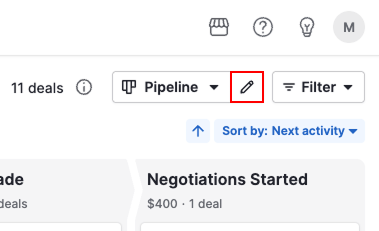
Open pipeline view and click the pencil icon next to your pipeline name to edit it.
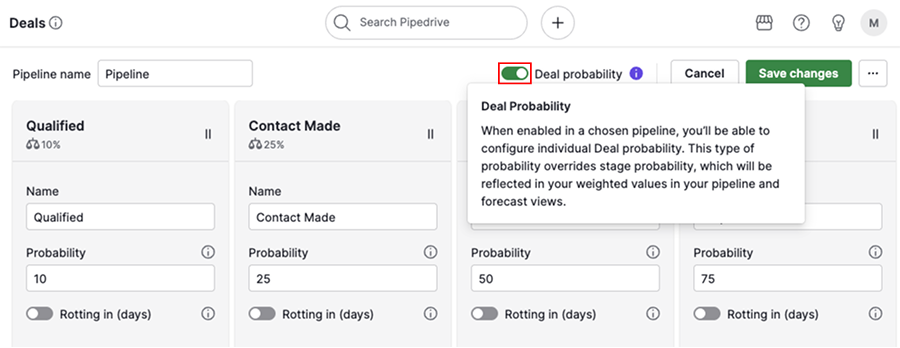
Toggle the option to enable deal probability and click “Save changes”.
Set deal probability
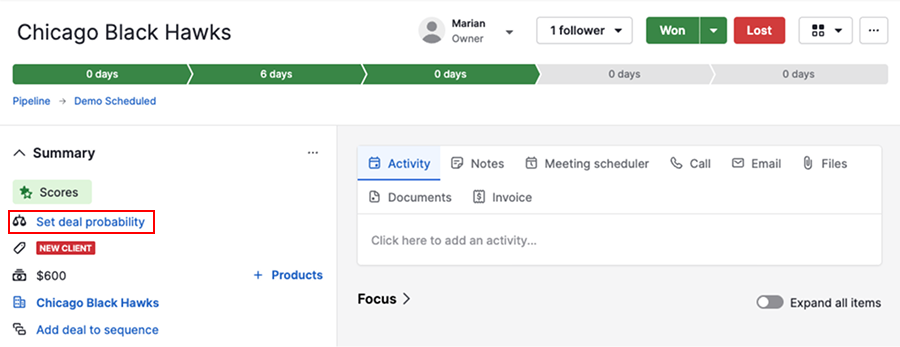
Go to the deal detail view and select “Set deal probability” from the summary group on your left sidebar.
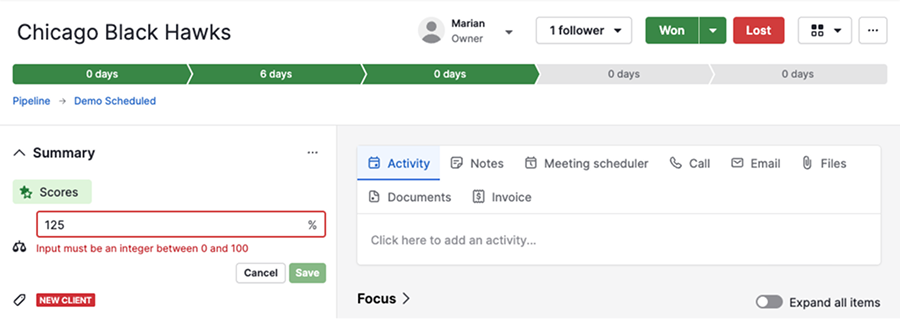
Enter an integer between zero and 100. If you go above 100, you’ll get an error.
View deal probability
After adding deal probability, you can view it in several areas:
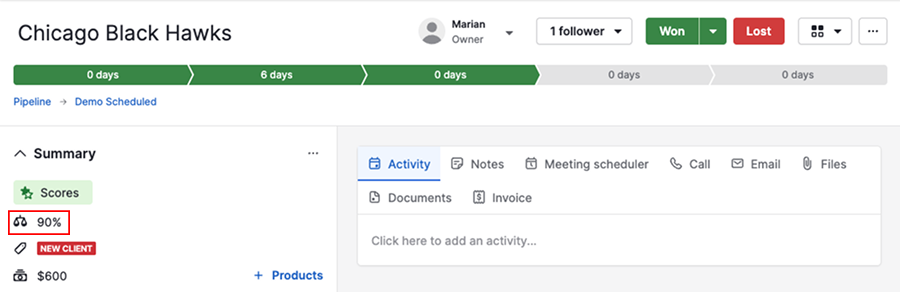
Deal detail view
You’ll find the deal probability under the summary group in the left sidebar.
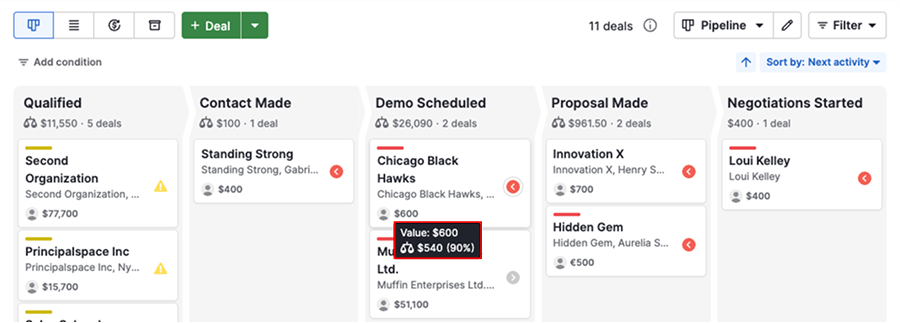
Pipeline view
Hover over the deal value in the pipeline to view your deal probability and weighted value.
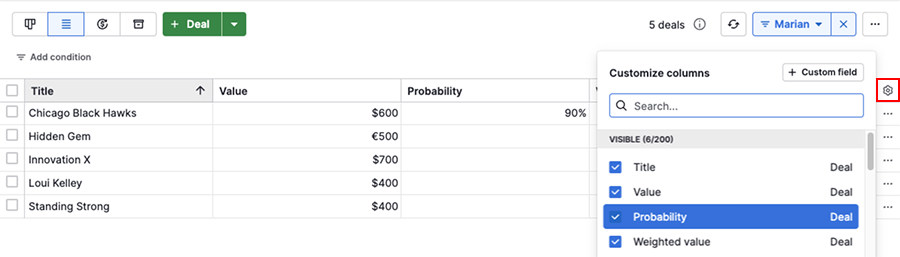
Deal list view
Click the gear icon and add the “Probability” column to your list view.
Was this article helpful?
Yes
No