How can I restore deleted deals?
BF
Last updated: September 3, 2026
Note: This action is only available to admin users. The number of open deals you can have depends on your plan. You can learn more about usage limits in this article.
To restore a deleted deal, go into the detail view of that deal and click on the “Restore“ button found at the upper-right corner.
This will reopen the deal to the same stage it was at when it was deleted.

Note: Deleted deals can be restored within 30 days of deletion. After 30 days, the deals are permanently deleted and can’t be accessed or restored.
Restoring deals in bulk
If you’d like to restore multiple deleted deals, first go to your account menu > Tools and apps > Restore data, and you‘ll see a list of recently deleted deals.
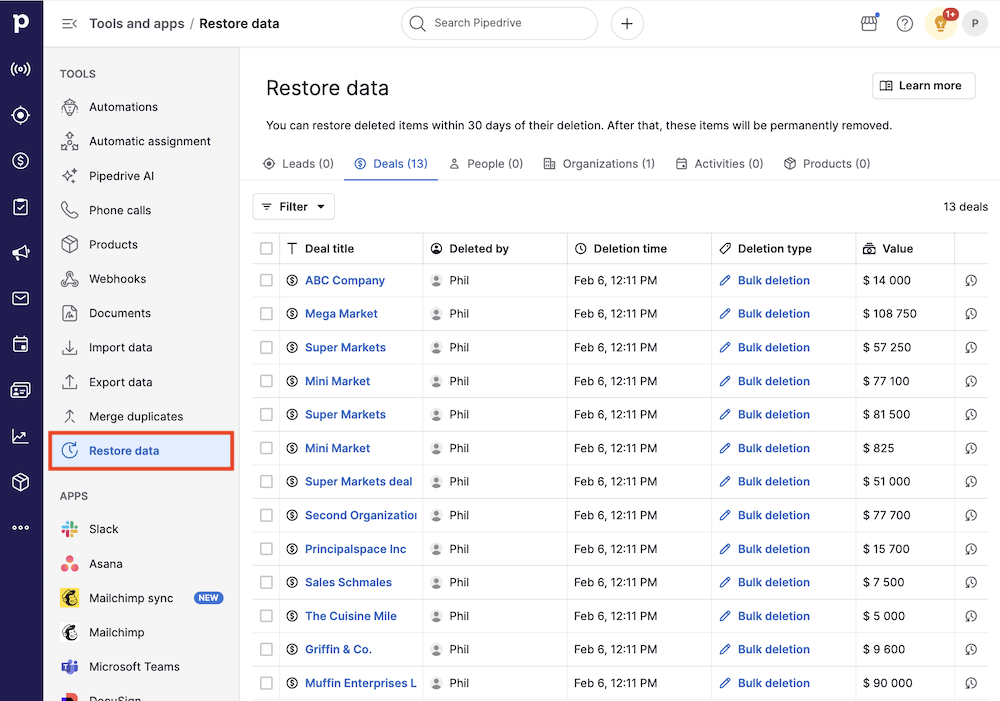
In the restore data page, you can check the deals you‘d like to restore to their original pipelines and stages.
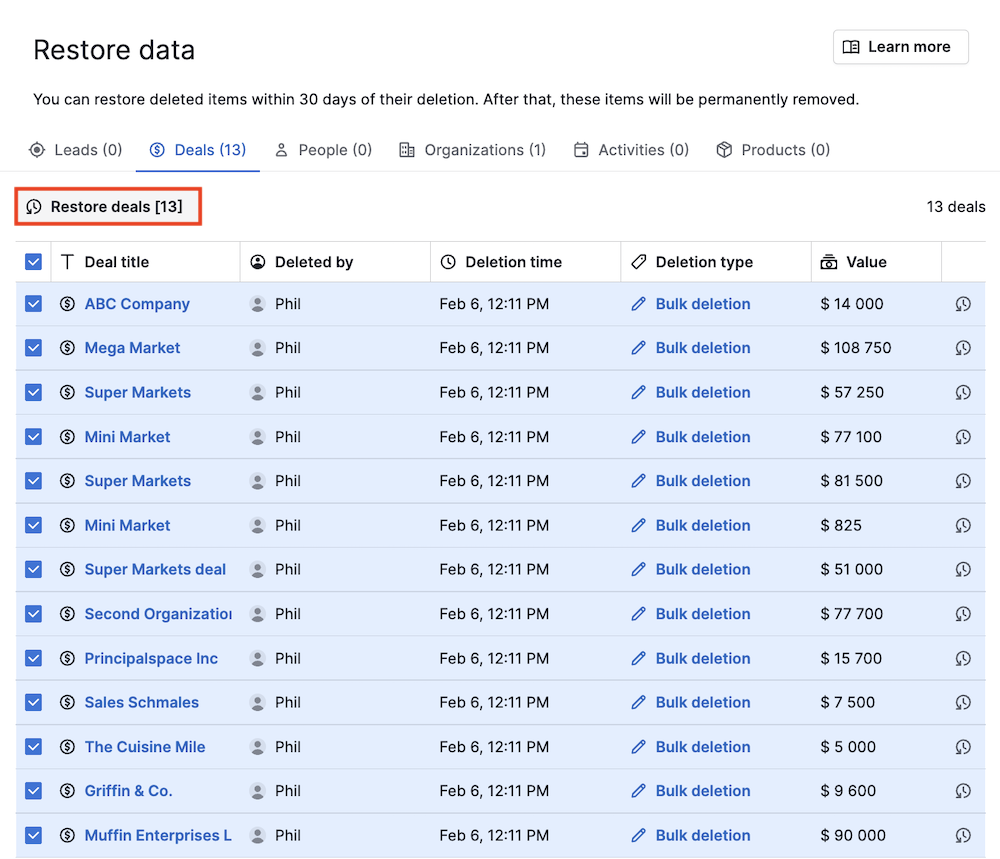
Finally, click “Restore deals” to start the recovery process.
After that, a confirmation dialog will appear, prompting you to click “Restore” to confirm.
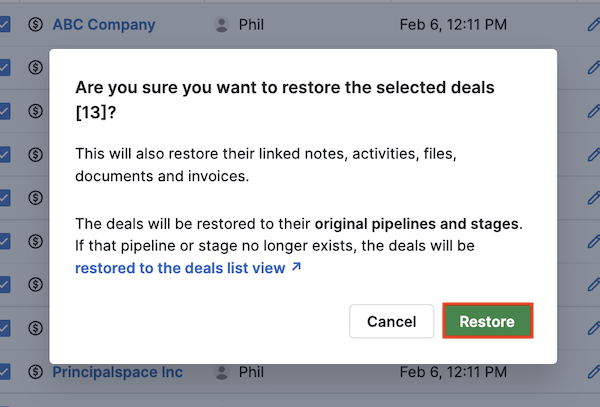
A notification at the bottom will let you know when the process is done.
Was this article helpful?
Yes
No