How can I enable calling in the Android app?
JT
Last updated: September 3, 2026
Note: The minimum OS version required to install the mobile app is 11+ for Android.
To make calls from Pipedrive on your Android device, you’ll first have to enable calling with the Pipedrive app. To do this, go to your device’s Settings > Apps > Pipedrive > Permissions > Telephone, and select Allow.
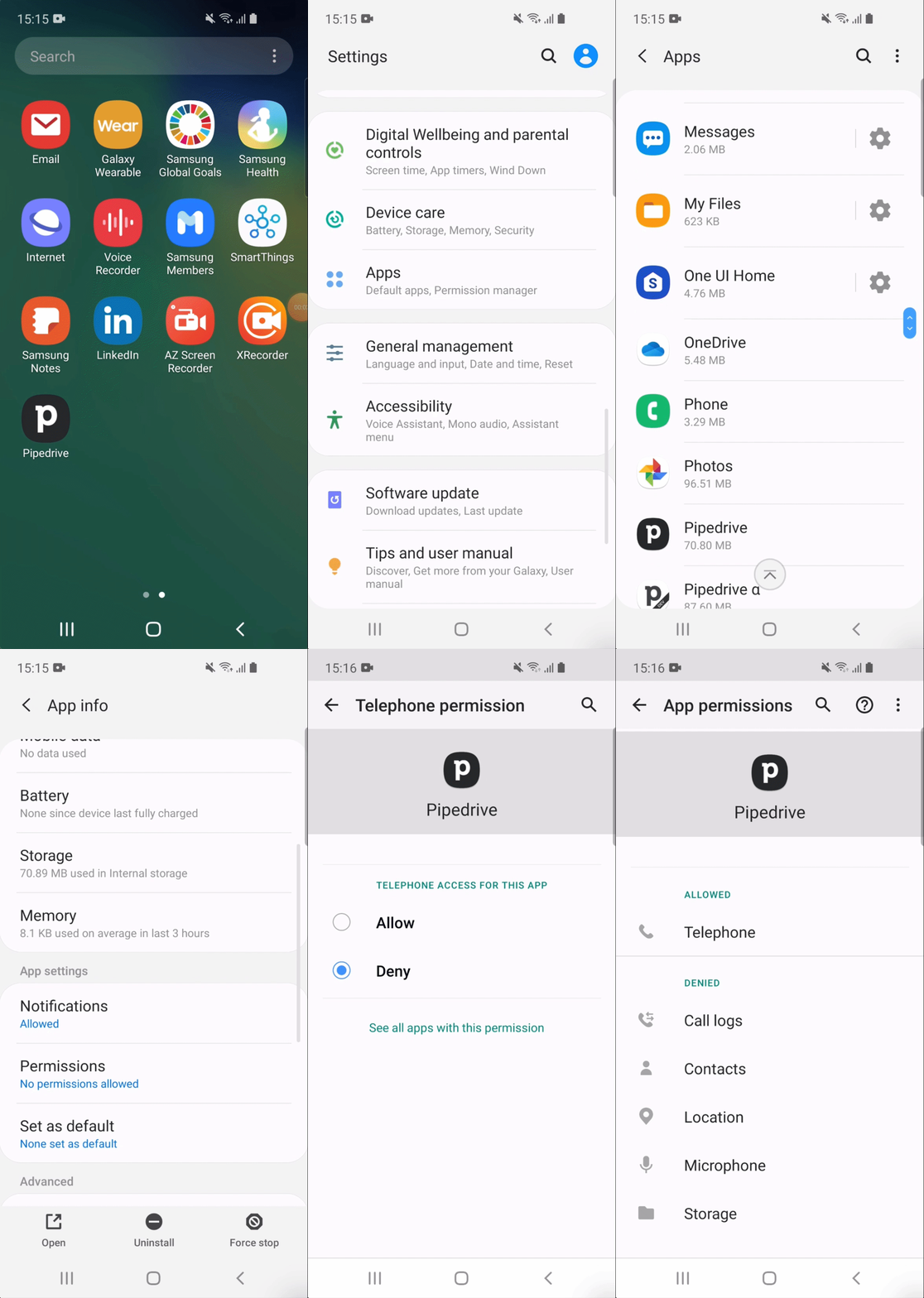
Once you've enabled calling, you can start calling and logging calls directly from the Pipedrive App.
Was this article helpful?
Yes
No