Deals vs. projects: when to use each
Deals and projects help you manage different parts of your customer’s journey in Pipedrive.
Deals help you track and close sales opportunities. Projects help you organize the work tied to a customer, whether that’s before, during or after a sale. You can use projects on their own, or link them to deals to keep sales and delivery information connected.
Understanding deals and projects
| If you need to... | Use deals | Use projects |
|---|---|---|
| Manage sales opportunities and track potential revenue | ✔️ | |
| Manage onboarding, delivery or implementation work after a sale | ✔️ |
You don’t have to choose one over the other. Many teams link deals and projects together to keep sales and delivery information connected. Learn how to use deals and projects together below.
Deals
A deal represents a sales opportunity, from the first conversation to a won or lost outcome.
Deals move through stages in the pipeline view. This helps you organize follow-ups, meetings, proposals and negotiations for each opportunity in one place.

Projects
A project helps you organize the work tied to a customer, like onboarding, implementation or delivery.
Projects move through phases in a project board, where you can track tasks, activities and milestones.
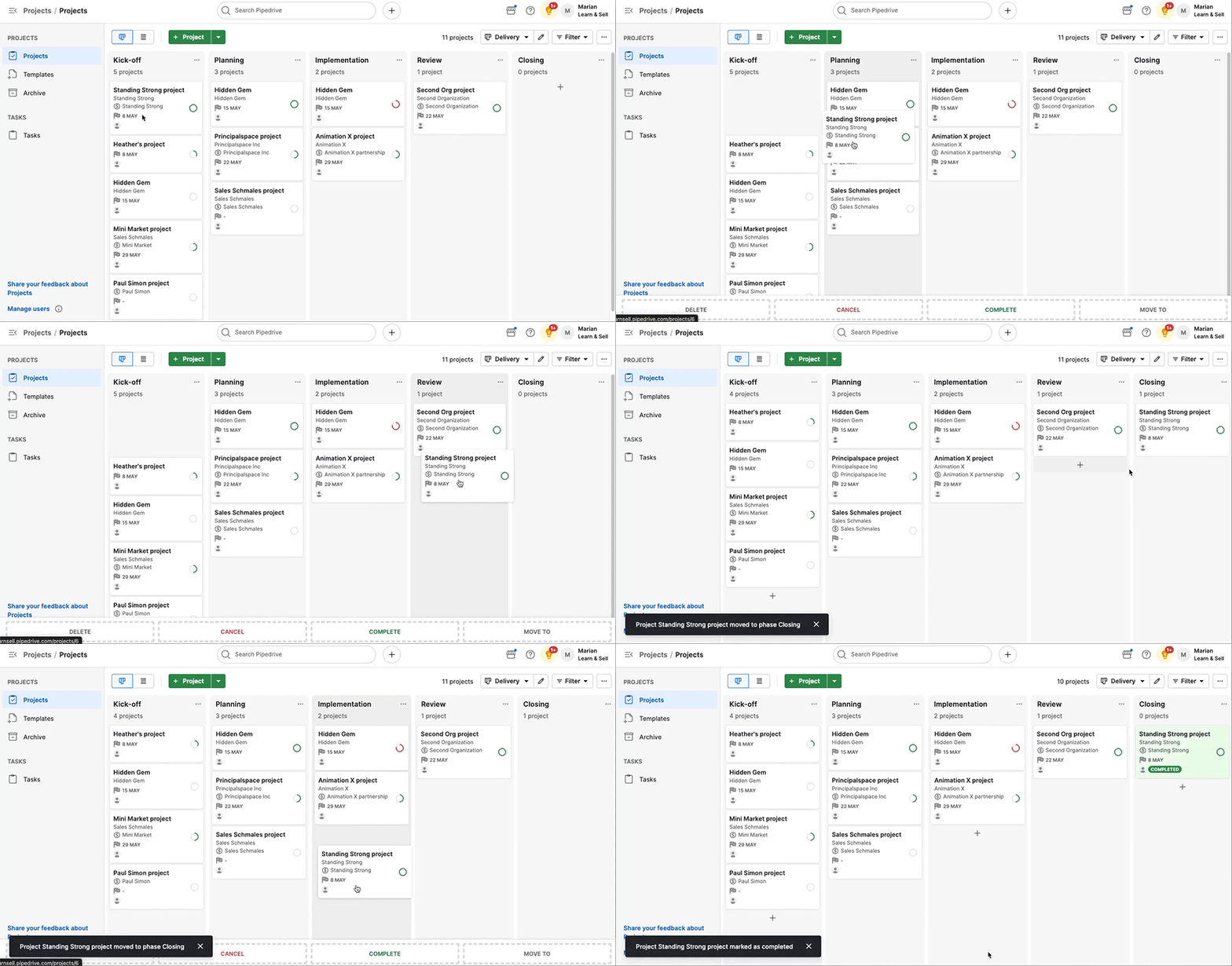
Projects are flexible. You can create one before a sale closes, after a deal is won, or without linking it to a deal at all. Linking a project to a deal is optional, but it’s where you get the most value out of using both features together.
Use deals and projects together
When you link a project to a deal, you and your team can access sales and delivery information from both items without losing context.
Review linked information from the project or deal detail view
From the project detail view, you can open the files, notes and email tabs to review information connected to the project. Each tab lets you filter what you see: deal-related information only, project-related information only or both.
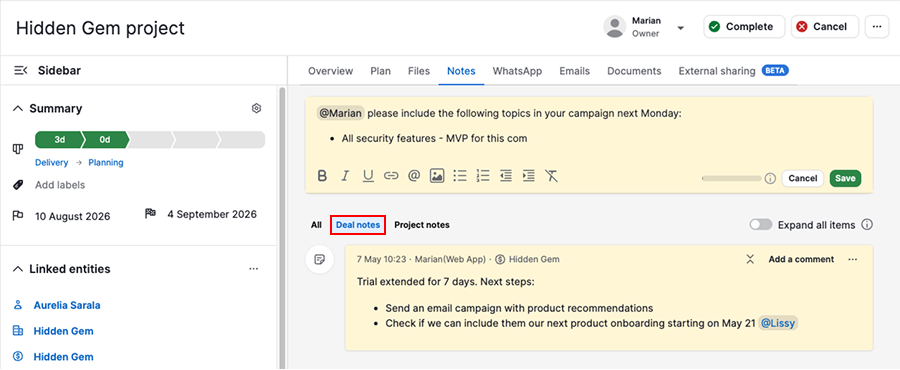
In the deal detail view, you can also see any projects linked to this deal and monitor delivery progress after the sale.

Generate an AI deal handover brief
When adding a new project and linking it to a deal, you can turn on “Generate a project brief from deal data using AI” to automatically create a summary of the linked deal.

If you don’t turn on this toggle while adding the project, you can still generate the same brief later. Open the project detail view, go to the overview tab, and create the deal overview brief from there.
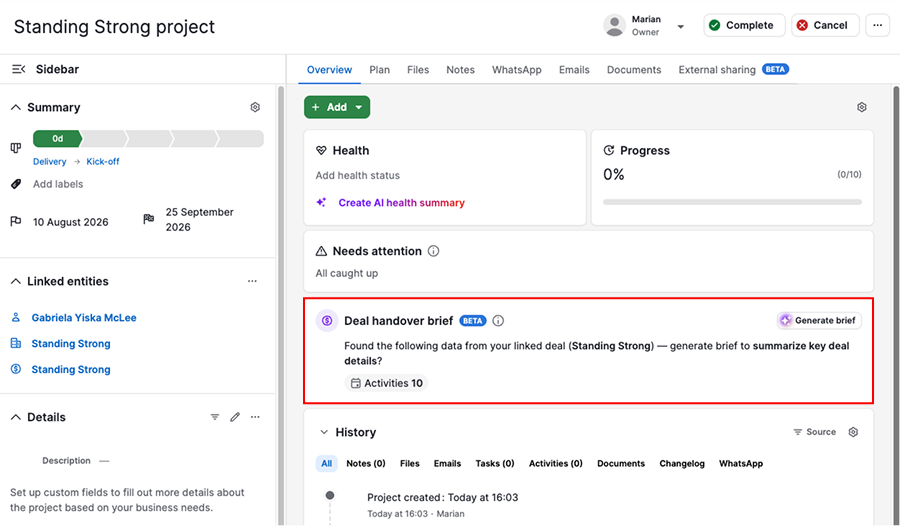
The generated brief helps your delivery team quickly understand what was sold, who the customer is and any important commitments made during the sales process.

The brief also suggests values for project fields based on your deal information. You can accept, edit or decline each suggested field update individually.

Was this article helpful?
Yes
No