The Rotting feature
The Rotting feature provides visibility into deals that have been idle for too long.
Once enabled and configured, your pipeline will visually notify you of any deals that you haven‘t updated for longer than the defined rotting period.
Setting up the rotting feature
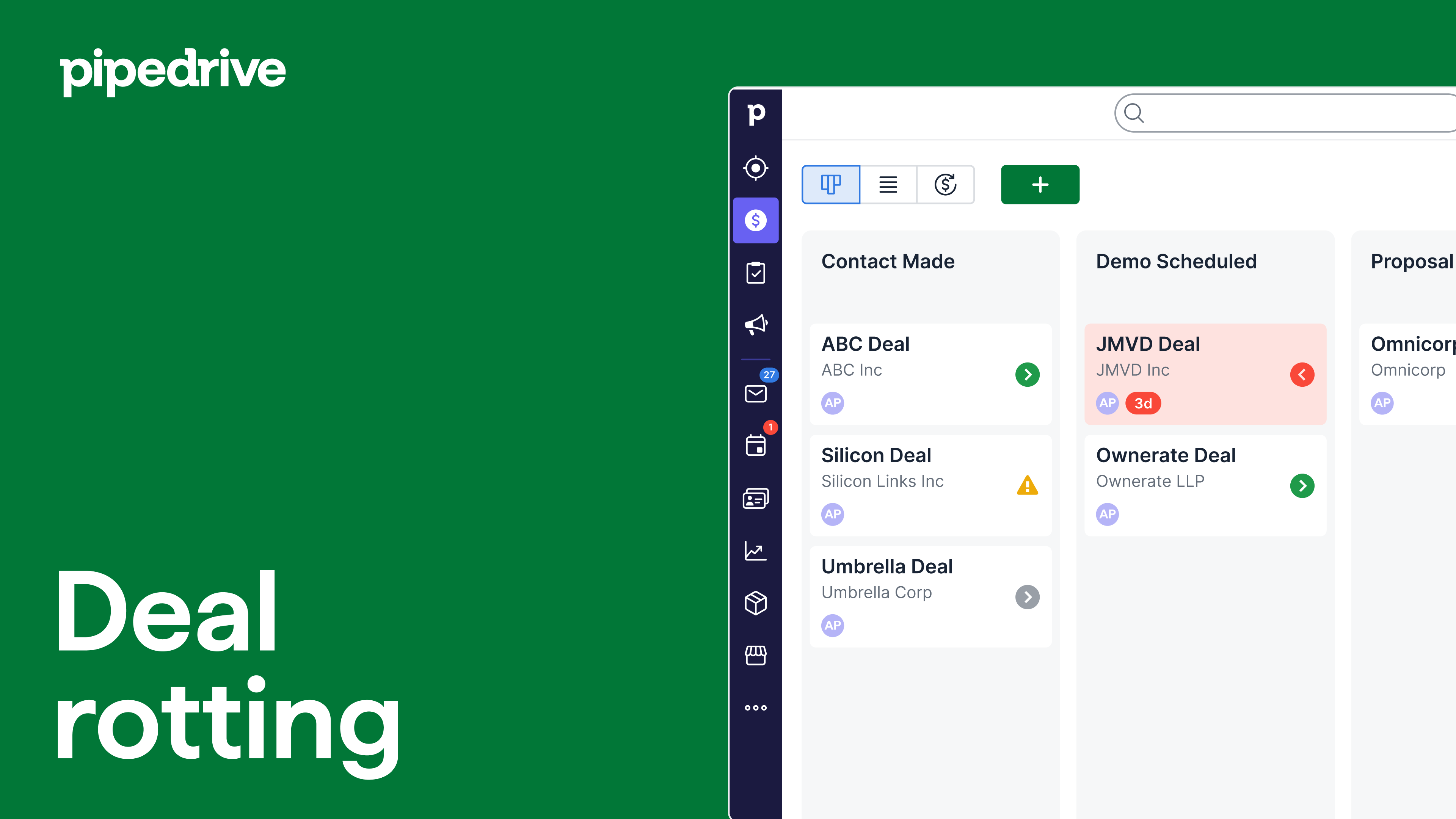
The rotting period is based on the deal‘s last updated time, which can include marking activities as done, sending, receiving, archiving, unlinking, or deleting emails linked to the deal.
Because of visibility constraints for some actions (especially email actions), a deal may appear untouched in the changelog or stage view, while its rotting timer has still been reset.
To define rotting periods for your pipeline stages:
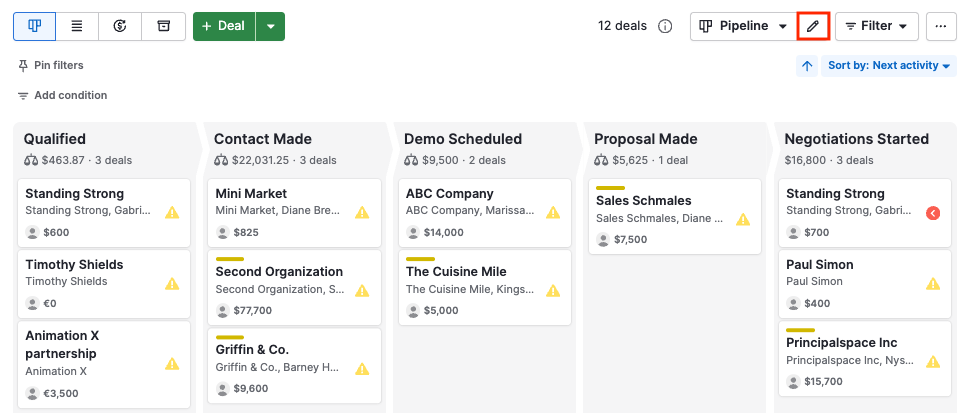
Go to the pipeline view and hit the “pencil” icon.
Click the “Rotting in (days)” toggle to activate it, then define the number of inactive days after which a deal in this stage is considered rotten. You can define the rotting time for as many stages as you need.
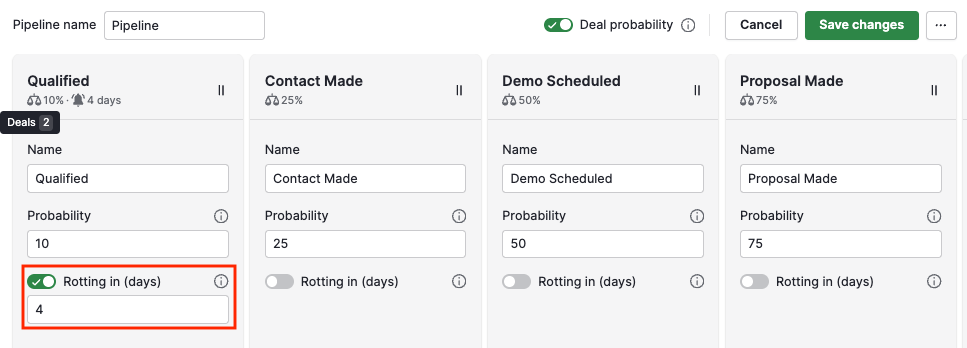
Click “Save changes” in the upper-right corner when you‘re done.
What counts towards the inactive days?
Several actions taken on a deal will reset the inactivity count, delaying the rotting. These include:
Marking activities as done
Adding notes and files to a deal
- Email actions:
- Sending
- Receiving
- Unlinking
- Deleting
Updates that may not show up clearly in the deal changelog
What do I do if my deals are rotting?
You’ll know a deal has gone rotten by the red color on the deal tile in your pipeline view.
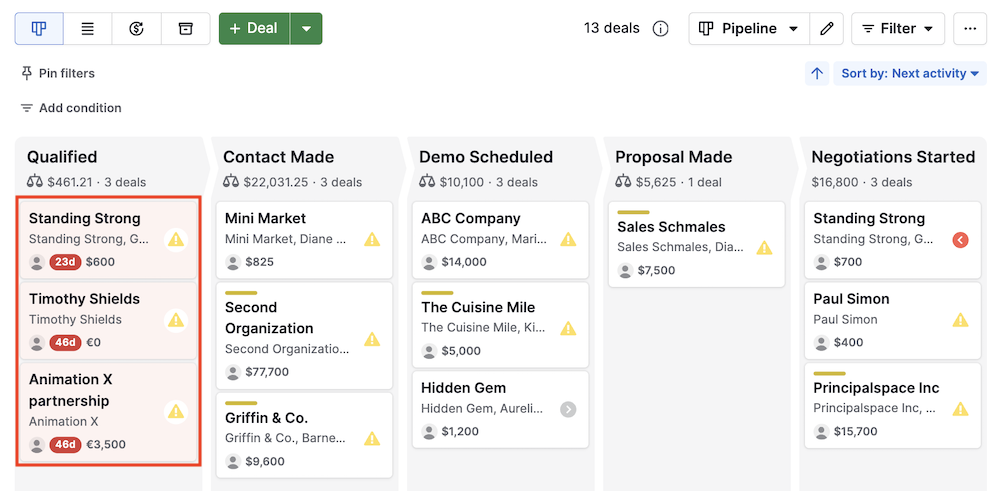
If your deal is rotten, you can restore it to a healthy state by:
- Scheduling a new activity for the deal
- Editing any details of the deal, such as custom fields, expected close date, value, etc.
Will future activities make deals go rotten?
The rotting feature disregards the next activity date, so any deal with an activity scheduled far into the future can still go rotten.
In this situation, you can rethink what you consider for stages and activities in your company’s Pipedrive account:
- If you set an extended rotting time (ex. 20 days) to accommodate activities far into the future, it can impact short-term goals and productivity
- Likewise, if you set shorter rotting times, it can be difficult to manage and sort deals where the activities are due in the future
One helpful strategy can be to create multiple pipelines or stages based on how soon you want certain activities completed or deals closed.
Was this article helpful?
Yes
No