Pipeline view: how to delete deals
BF
Last updated: March 27, 2026
Note: Only users with deal admin permissions or regular users with the correct permissions can delete deals. Learn more about global user management.
Deleting a deal removes it permanently from your account. This action can’t be undone after the restoration period expires, so it’s important to make sure you no longer need the deal before deleting it.
If your goal is to free up space due to usage limits, deleting deals isn’t the only option. For more ways to manage storage, see our article on freeing up space.
Delete deals
You can delete a deal directly from the pipeline view using drag-and-drop.
Go to the deals tab and open your pipeline view. Click and hold a deal card, dragging it to the “Delete” option.
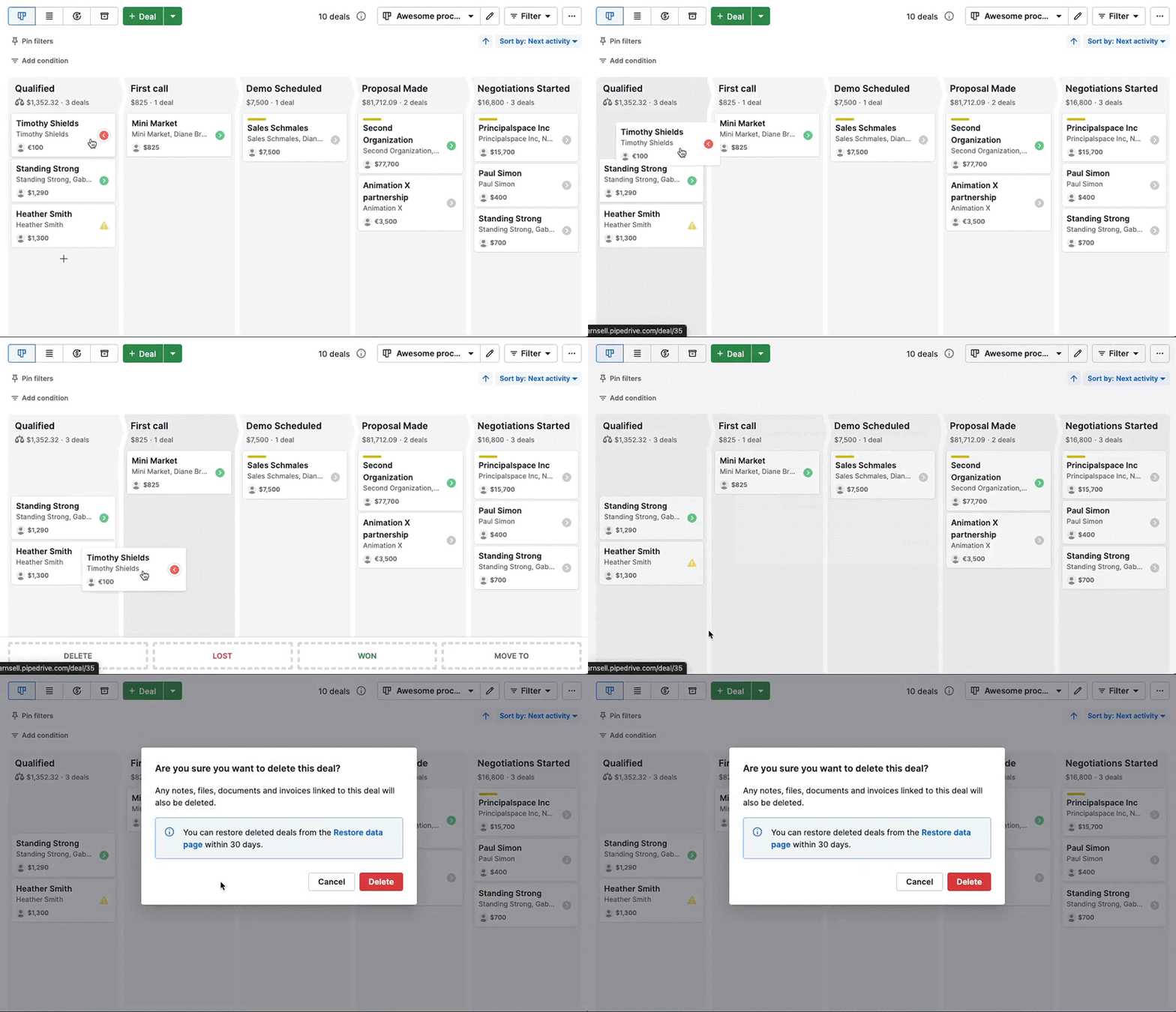
Note: Deleted deals can be restored from the Restore data page within 30 days. After that, they’re permanently removed from your account. Learn more about deleting items in Pipedrive.
Was this article helpful?
Yes
No