Pipedrive integration: CloudTalk
CloudTalk’s Pipedrive integration brings full call-center functionality into your Pipedrive account. Once connected, you can place and receive calls, send SMS messages, log conversations and access AI-generated insights all without leaving Pipedrive.
With two-way sync, call data is automatically linked to your contacts and deals, and all activity is kept up to date.

Install the CloudTalk integration
To install the integration, ensure:
- You have admin permissions in both CloudTalk and Pipedrive
- You’re on an active CloudTalk Essential or Expert plan
- The same email address is used in both platforms
Then:
- In your CloudTalk dashboard, go to Account > Integrations
- Hover over the Pipedrive tile and click “+ Add”
- Follow the prompts to connect your account
- Toggle the integration to Active and click “Save“ to enable two-way sync
Set CloudTalk as your default calling app
After the installation, you can place calls directly from Pipedrive without needing a browser extension.
To set CloudTalk as your default dialer:
- In Pipedrive, click your profile icon and go to Tools and apps > Phone calls > Personal
- Under Default calling app, select CloudTalk
- Click “Save settings”
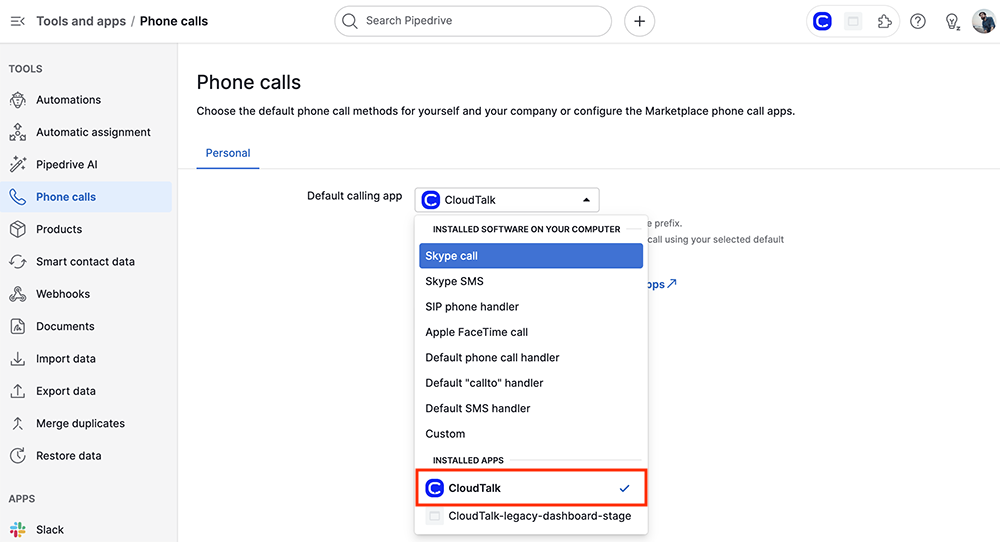
Your browser will prompt you to confirm CloudTalk as the calling method. Once accepted, the CloudTalk softphone (CTI) panel will launch with the number pre-filled.
Customize your contact sync
During setup, you can control how contacts and activities sync between platforms.
1. Default fields in Pipedrive:
- Contact people in Pipedrive already have fields for phone and email. If you want to have these fields for your organizations, go to Company settings > Data fields > Organization
- Add custom fields for phone and email
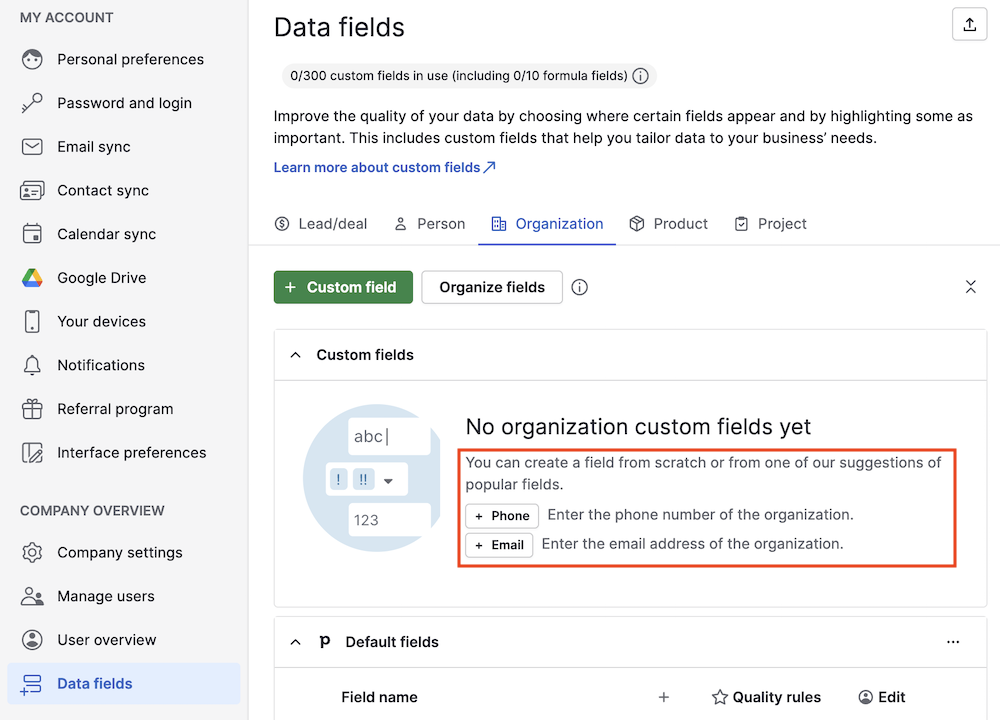
2. Map fields in CloudTalk:
- Under General Settings, match the Pipedrive fields for phone numbers and emails
- Click “Save” once the mapping is done
Customize call logging and workflows
CloudTalk offers flexibility in how calls are tracked what is logged into Pipedrive:
- Choose call types to log (inbound, outbound, missed, voicemails)
- Set connected numbers to filter logs by specific company lines
- Define business-hour rules (e.g., log only during working hours)
- Assign tags to new contacts and import Pipedrive activities back into CloudTalk
- Enable VoiceAgent call logging to track AI-handled conversations in Pipedrive
Use CloudTalk inside Pipedrive
Outbound calls
- Click-to-Call: All phone numbers in Pipedrive are clickable. Clicking opens the CloudTalk CTI panel with the number filled in.
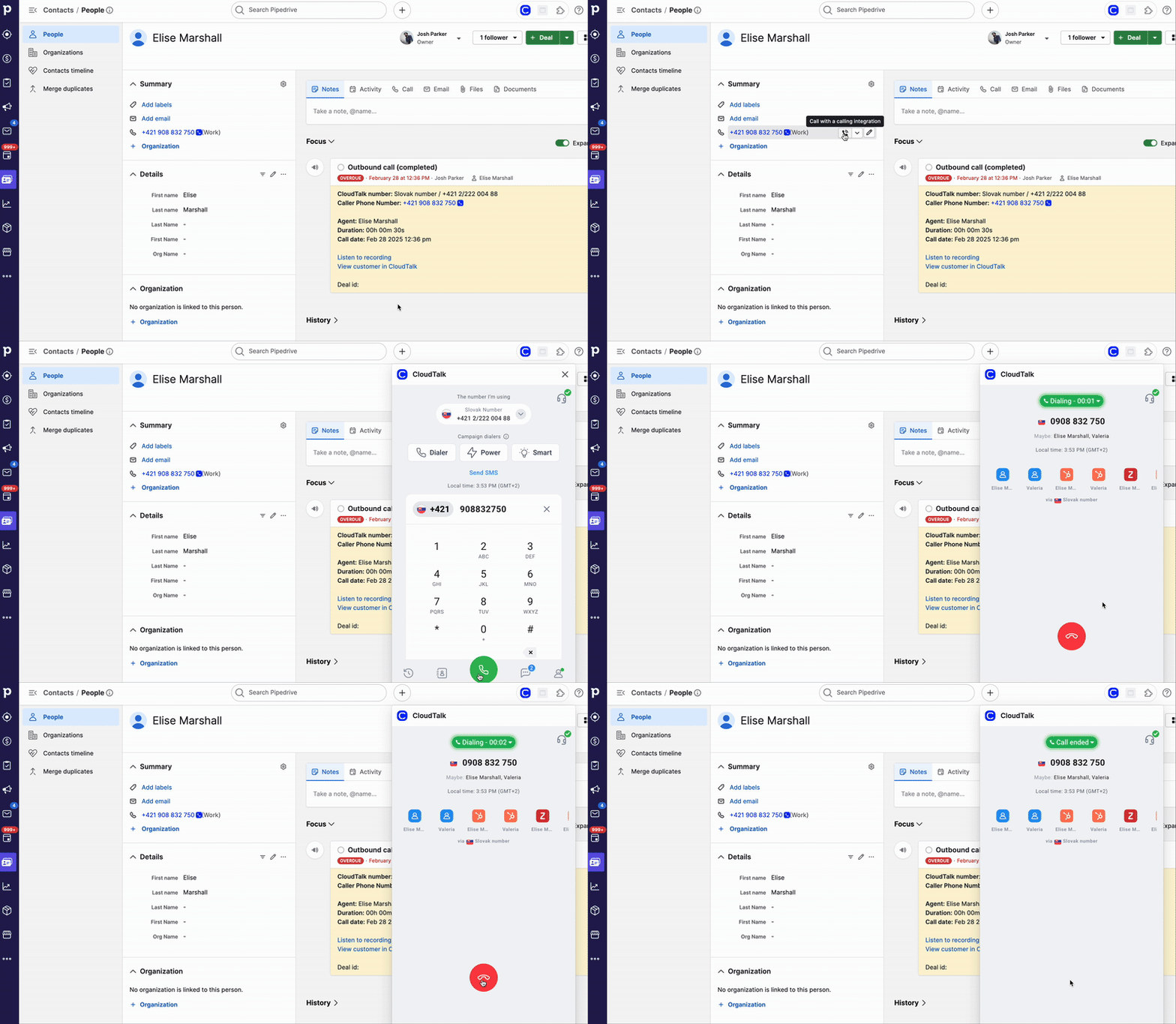
- Manual dial: Click the CloudTalk icon at the top of your screen to open the dialer manually. Enter or paste a number to call.
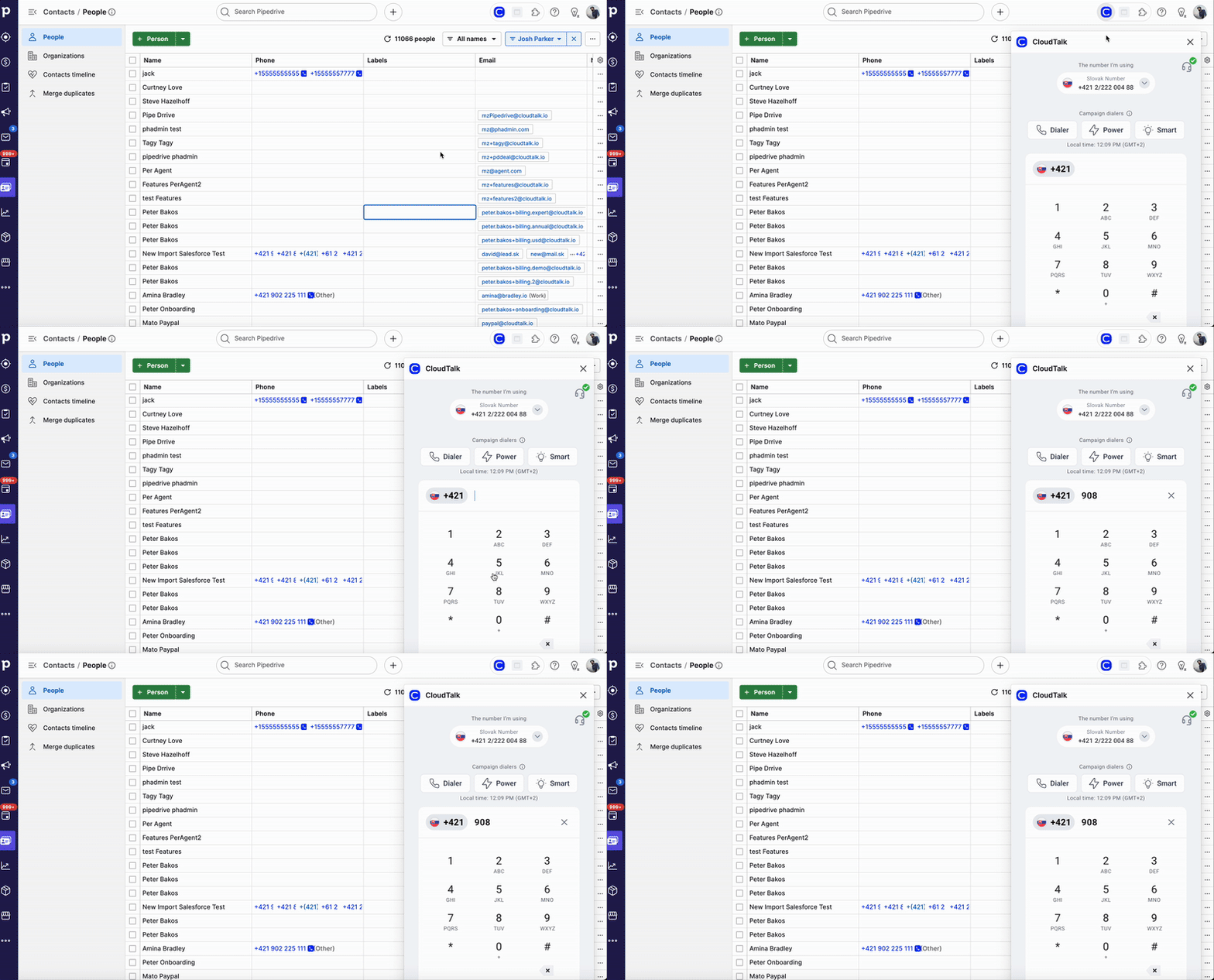
- Power dialer: Use CloudTalk’s Power Dialer to queue contact lists from Pipedrive and run outbound campaigns efficiently
Inbound calls
When a customer calls:
- The CloudTalk CTI panel appears within your active Pipedrive tab
- You can preview the caller’s details (notes, history, deals)
- After the call, tag and log the interaction from the same panel
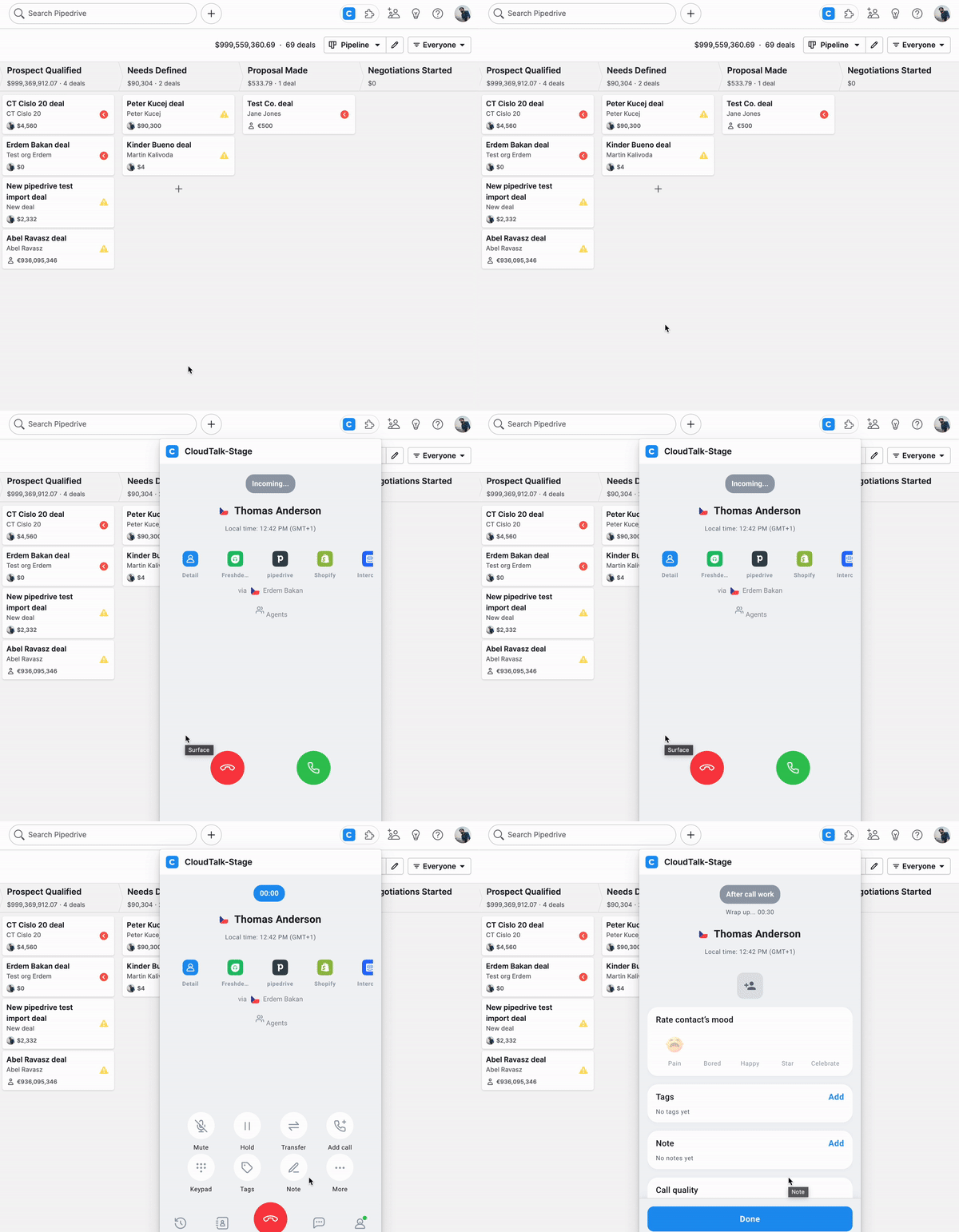
Call logging and contact sync
Once a call ends and you click “Done”, CloudTalk automatically logs the call to Pipedrive.
Logged data includes:
- Call time, date and duration
- Any tags and notes you added
- A link to the recording (if enabled)
To sync activities back to CloudTalk, enable “Import activities” in your integration settings.
Conversation Intelligence and VoiceAgent
If you’re using CloudTalk’s Conversation Intelligence (CI) add-on, AI insights will be pushed to Pipedrive. These include:
- A summary and detected action items
- Speaker-separated transcript
- Recording link
VoiceAgent calls appear as “VoiceAgent call” activities, with:
- Call outcome (connected or failed)
- Issue summary and notes
- Duration, timestamp, and CloudTalk number used
Additional features and best practices
Automate your workflow
- Choose which calls and SMS messages trigger activities.
- Set custom business hours for logging.
- Assign missed calls to specific agents.
- Automatically create follow-up tasks.
Scale with your team
- Add users in your CloudTalk Dashboard.
- Each team member can access the CTI panel from inside Pipedrive.
- CloudTalk supports large call volumes and offers local numbers in 160+ countries.
Var den här artikeln till någon hjälp?
Ja
Nej