Email sync
Use email sync to centralize your email communication in Pipedrive. Whether you’re using a personal account or a shared team account, you can:
- View, send and reply to email conversations directly from your Sales Inbox
- Link email conversations to deals, leads or projects automatically or manually
- Track email engagement and get notified when emails are opened
- Share conversations across your team or keep them private
Supported email accounts and providers
You can choose to connect a personal email account or a team email account, depending on your role and how you collaborate.
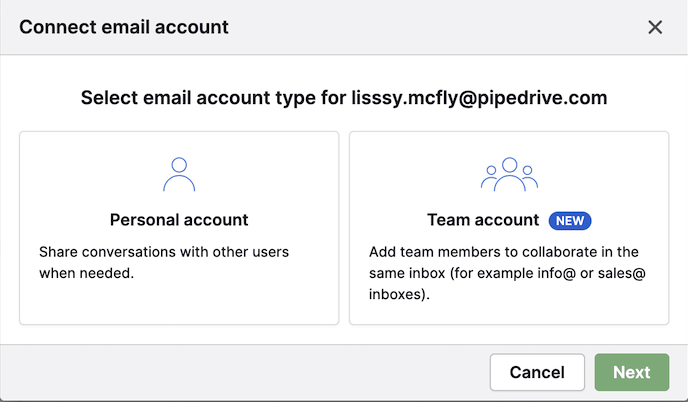
Personal vs. team email accounts
- A personal account connects your own email address to Pipedrive. Only you can see emails in your inbox unless you choose to share them.
- A team account allows multiple users to access and manage emails from a shared address, such as [email protected].
To learn more, see our guides on personal account settings and team account settings.
Supported email providers
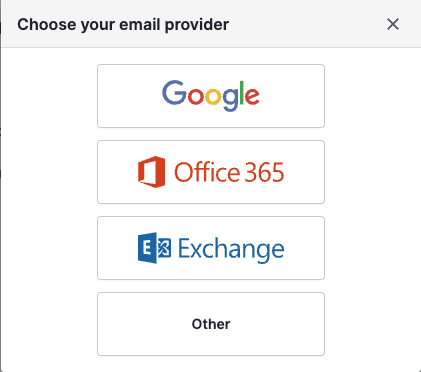
Commonly supported providers include:
- Google Apps / Gmail
- Office 365 / Outlook
- Microsoft Exchange (EWS)
- Other – any email account that supports IMAP
For a step-by-step guide on setting up your email sync, see this article.
Send emails from Gmail alias
If you use Gmail, you can send emails from a verified alias instead of your main synced address. This is useful if you manage multiple addresses within the same Google account and want to choose the right one when reaching out to clients.
To send from a Gmail alias:
- Open the account menu and go to Personal preferences > Email sync
- In the account tab scroll to the send email as section
- Click “Refresh aliases” to fetch the aliases already set up in your Google account

Once refreshed, your alias appears as an option in the from field whenever you compose an email.
Manage email conversations
Once your account is connected, all email activity is handled from the Sales Inbox – no need to switch between tabs or apps.
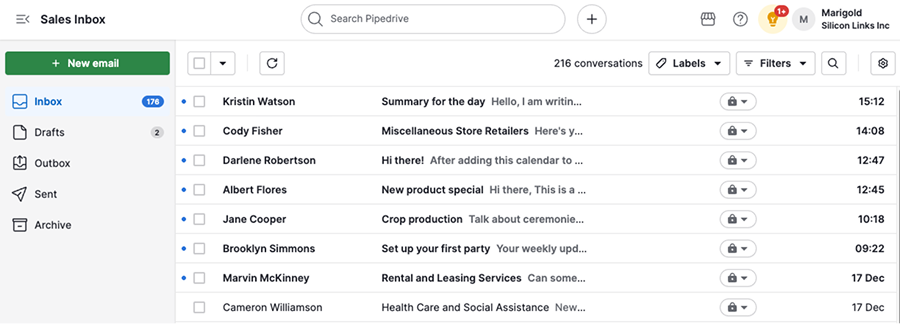
You can use email labels and filters to keep your message history organized in one place.
View email conversations
Click on a conversation to open it. You can also view them in the detail view of linked deals, leads, projects, contacts or organizations.
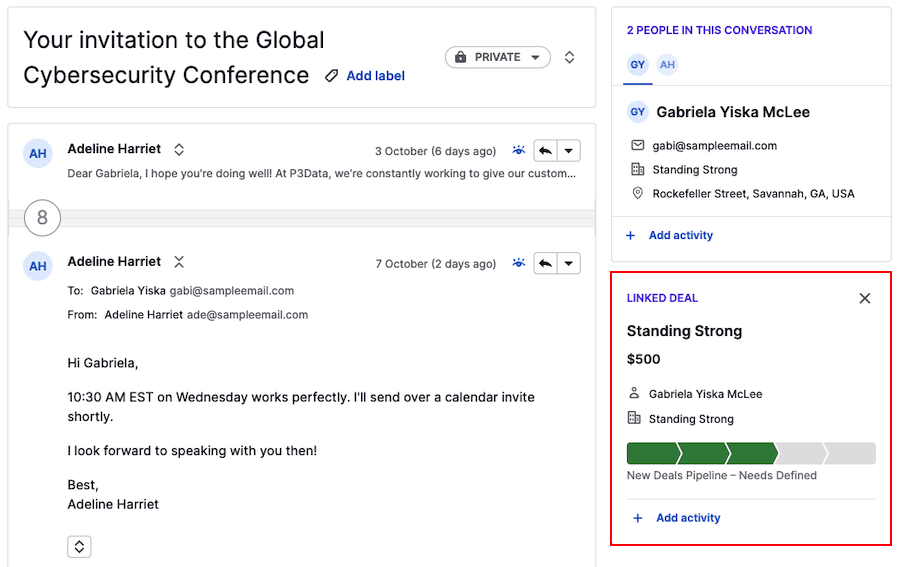
Use AI to improve email efficiency
Email AI tools help you streamline communication and automate manual tasks in your inbox. To enable them, open the account menu and go to Personal preferences > Email sync > Email AI.
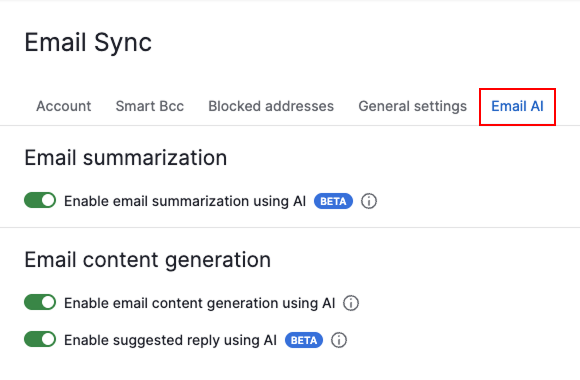
- AI email summarization – Summarizes long email threads to help you catch up quickly without reading every message
- AI email creation – Assists you in writing email drafts, generating replies, or improving tone and grammar before sending
- AI email suggested replies – Recommends quick, context-aware responses based on the conversation
These tools are available when reading or composing emails in your Sales Inbox or in detail views.
Compose emails
You can start a new conversation directly from Pipedrive, either in Sales Inbox or detail views.
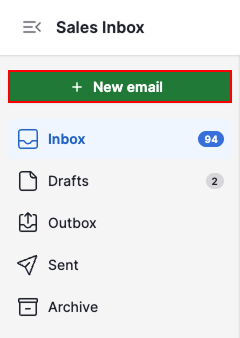
Sales Inbox
Click on “+ New email” to start composing your message.
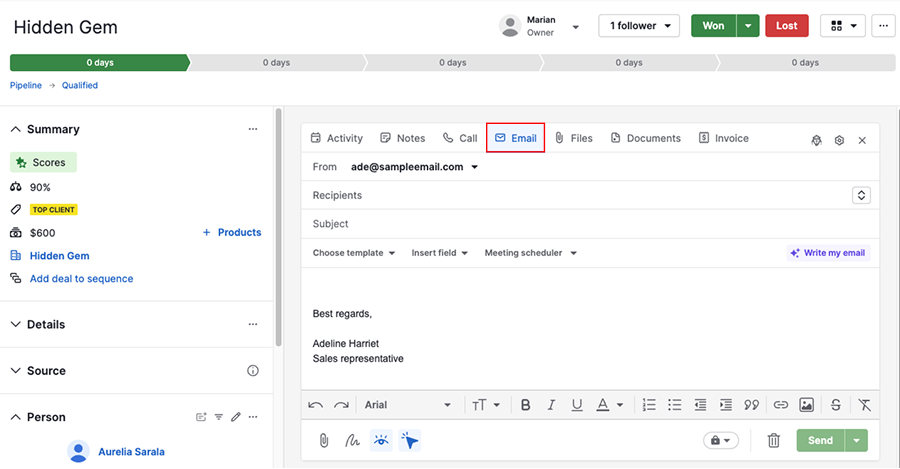
Detail view
Open the email tab on the detail view of a deal, lead, project, contact or organization.
Learn how to customize your messages with email templates and signatures.
Email tracking
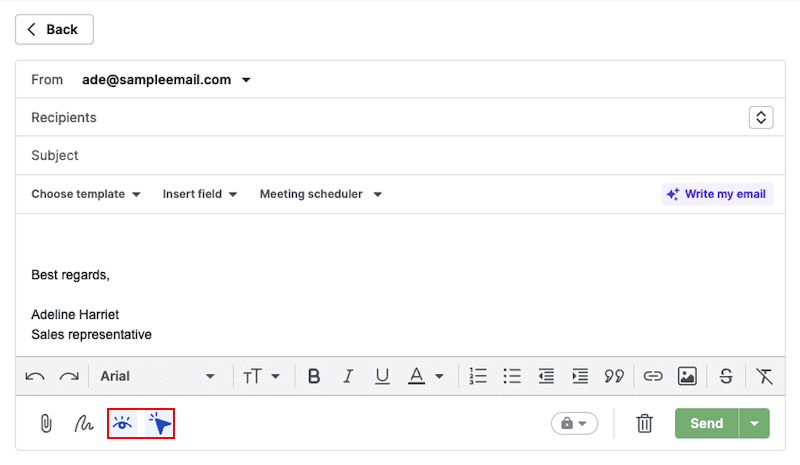
Turn on email tracking for outgoing messages to see when a recipient opens or clicks links in your email.
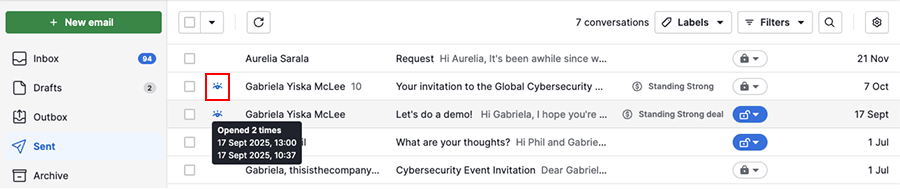
Email opens are marked with an eye icon, and link clicks are marked with a cursor icon.
Link conversations to items
You can link email conversations to a deal, lead or project:
- Automatically, based on the email address and items involved
- Manually, if you’d like to associate a message with a different item
This helps keep your CRM organized and your sales context visible.
Email conversation visibility
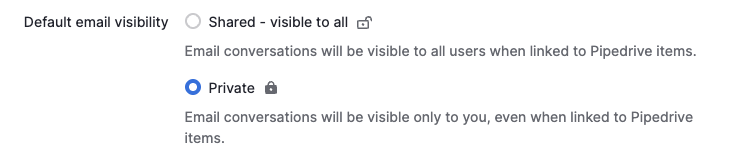
You can adjust who can view your conversations based on sensitivity and collaboration needs. The options slightly differ between personal and team accounts:
Personal account visibility options
- Shared – all users who have access to the linked items can view these emails
- Private – only you can view these emails
Team account visibility options
- Shared – all users who have access to the linked items can view these emails
- Team only – selected team members can view these emails

Archive and delete messages
When a conversation is no longer needed, you can either archive or delete it to focus on relevant messages.
To learn more about the differences between these actions, check out this article.
Tools to scale and improve your email strategy
Go beyond one-to-one emails with tools that help you reach a wider range of contacts. Personalize your emails, automate follow-ups and track performance with built-in reports.
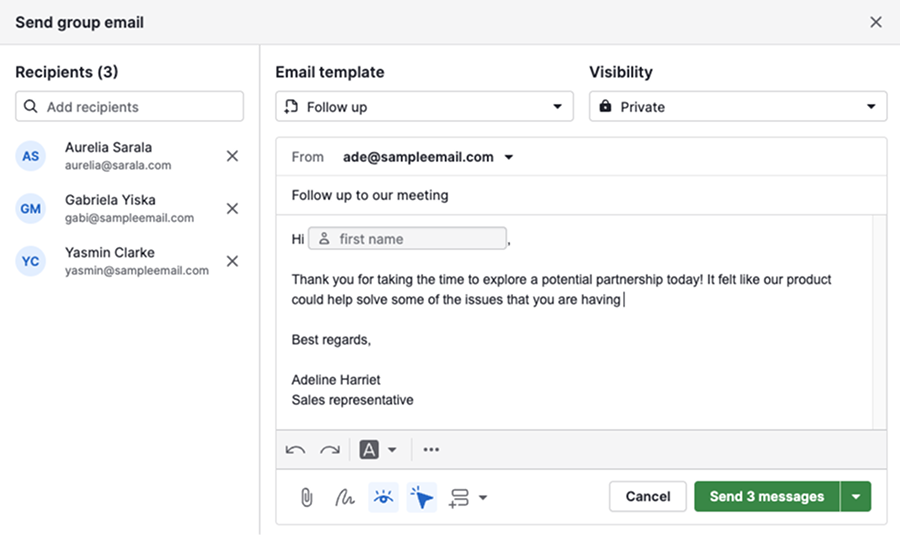
Send group emails
Use group emailing feature to send personalized messages to multiple contacts, each receiving it as if it were sent only to them.
Send automated emails
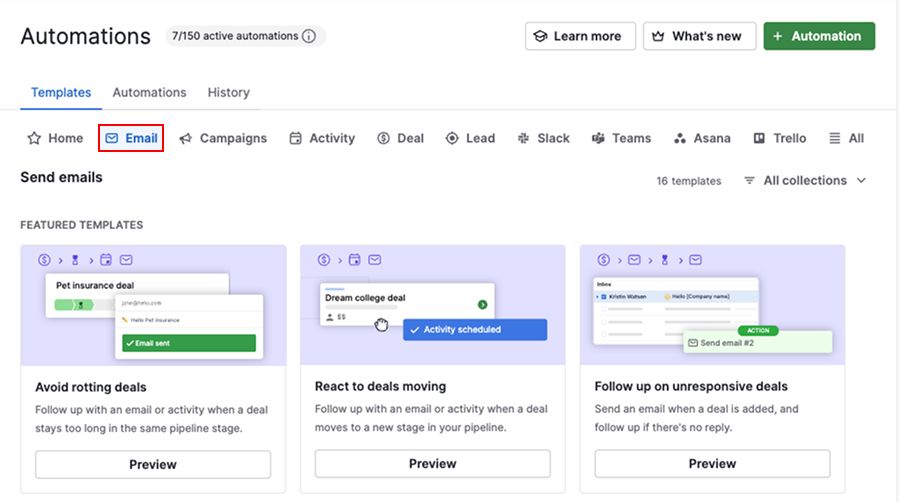
Use email automations to send messages based on either an action or a date. For example, you can trigger an email when a deal is added and send a follow-up if there’s no reply. This helps you stay timely and consistent without manual effort.
To explore email automation examples, open the account menu and go to Automations > Templates, then select the “Email” category.
Track email performance
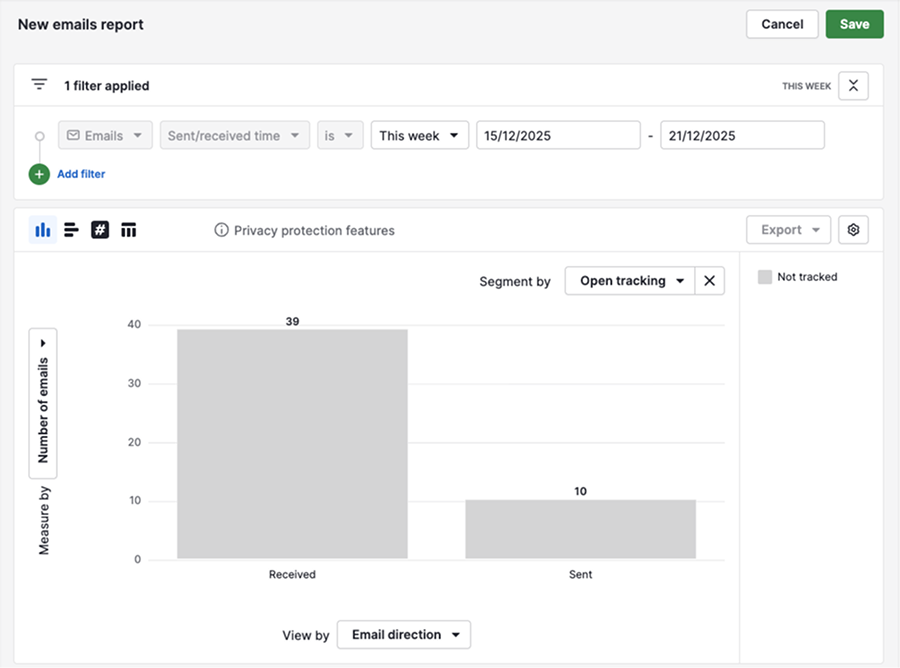
Create an email performance report in Insights to analyze open rates, click rates and other key metrics across your sent emails. These insights can help improve your outreach strategy over time.
Email sending limits
To help maintain reliable delivery, emails sent through Pipedrive are queued and processed in short intervals.
Because sending limits are shared across the company account, emails sent by different users and features count toward the same limit.
| Limit type | Limit | Result |
|---|---|---|
| Rate limit | Up to 40 email actions per minute within a company account | Additional emails may fail to send |
| Email provider limits | Providers like Gmail or Outlook apply their own limits (for example, daily or hourly caps) | Emails may fail to send until the provider restrictions are lifted |
Troubleshooting
If you’re having issues with your email sync connection, follow our email sync troubleshooting guide for some tips on the most common issues.
If you require additional assistance, please contact our support team.
Was this article helpful?
Yes
No