The Nearby feature
Using the mobile app’s Nearby feature, you can see the addresses of your nearby contacts on a map. This can come in handy if you want to add a personal touch to your sales journey by stopping by when you’re in the area, either for a planned meeting or as a surprise.
The Nearby feature in the iOS app:
To access the Nearby feature on your iOS device, go to your Pipedrive mobile app’s home screen and click More > Nearby. Here, you will see a map showing all the addresses near your current location. If you’re using the Nearby feature for the first time, you’ll be asked to allow Pipedrive access to your current location.
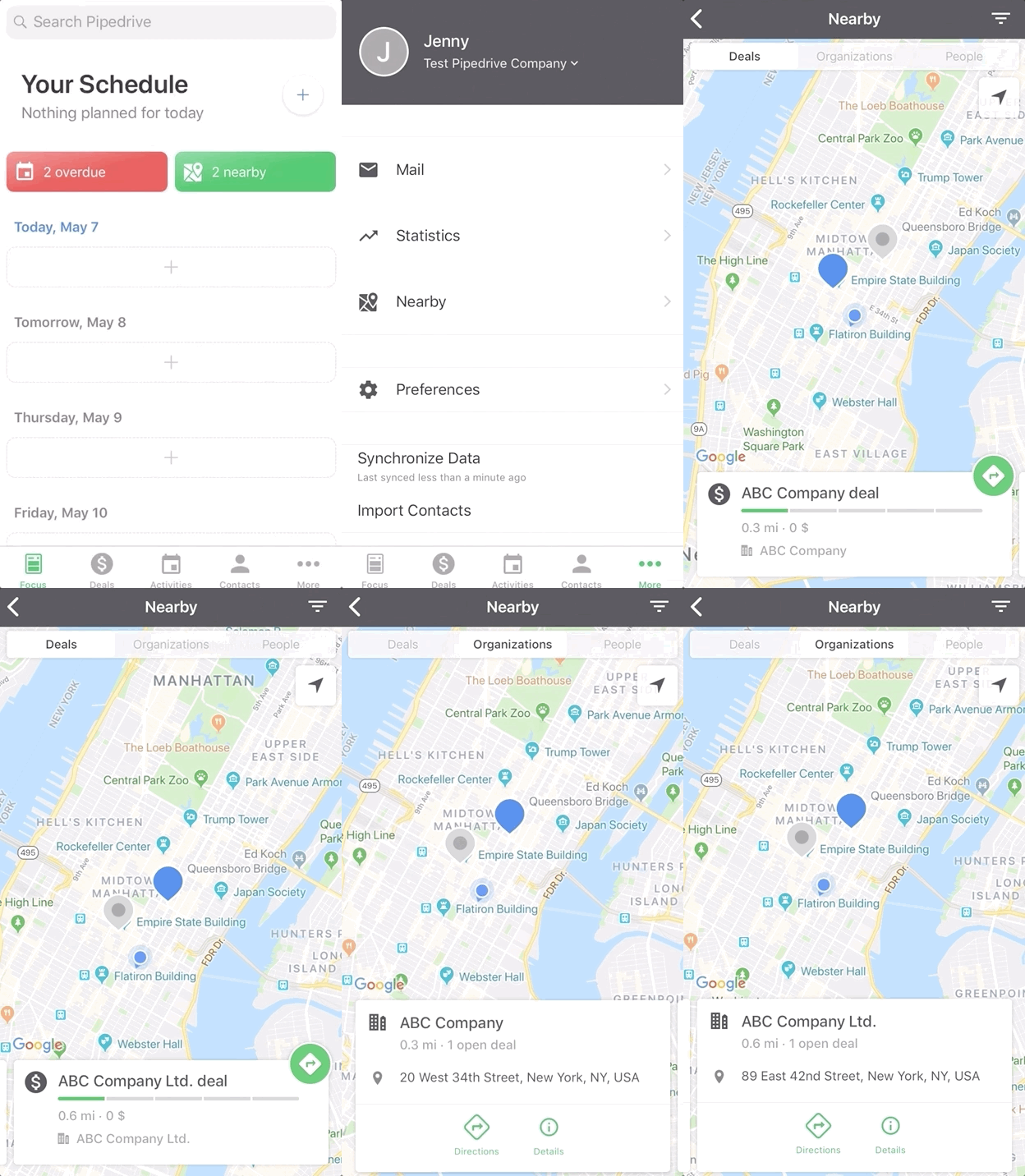
You can filter the locations you see by switching between deals, organizations, or people using the bar at the top.
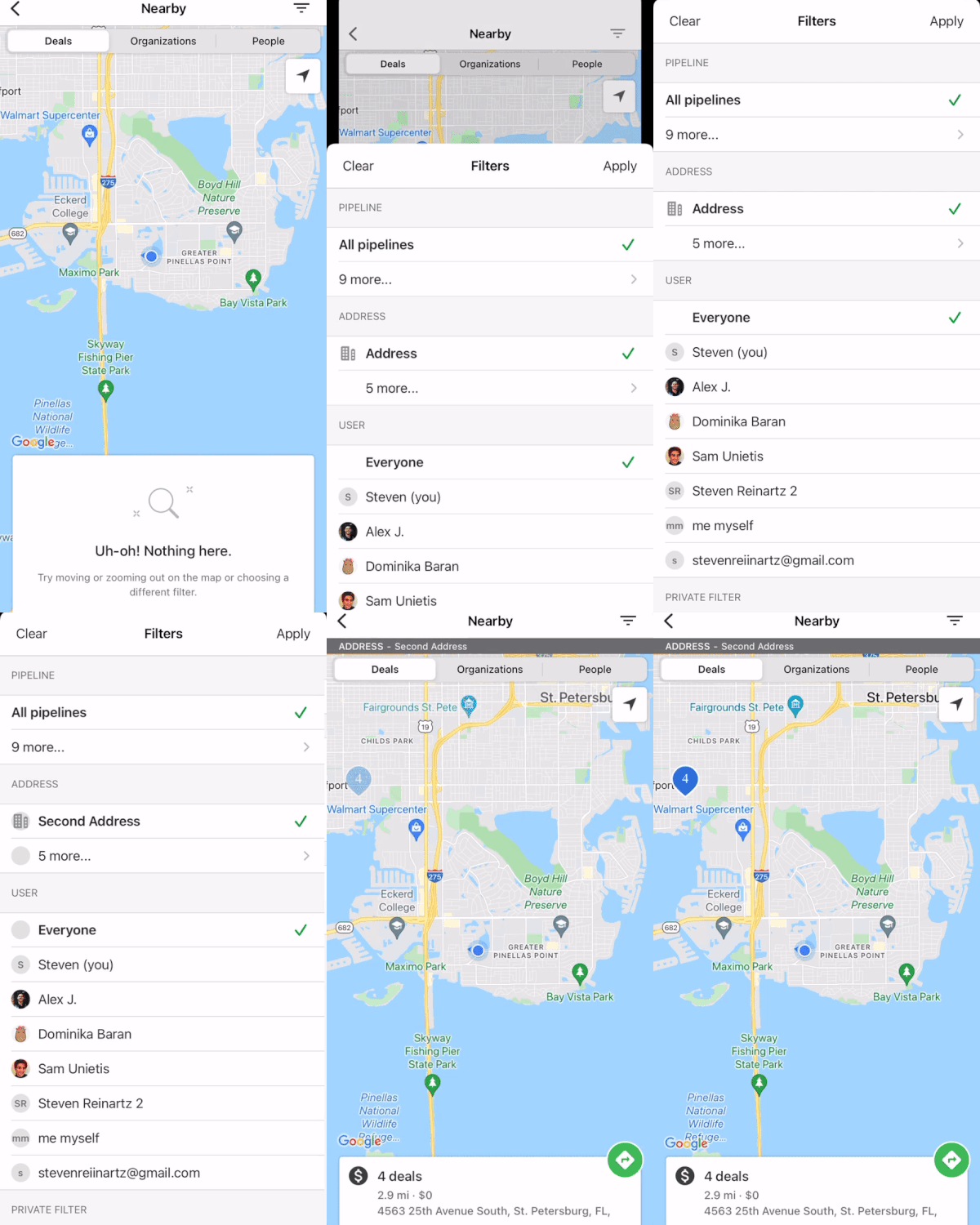
If you want to filter the results even further on the map, click the filter icon in the top-right corner and apply any custom or default filters. Here, you can filter for your address-type custom fields as well, although you can only filter for one address field at a time:
After you find the address you’re looking for, you can view details for that deal or contact, or open the address in your navigation app to get on your way.
The Nearby feature in the Android app:
To access the Nearby feature, go to your app’s home screen and hit “…” > Nearby. Here, you’ll see a map including all of the addresses that are nearby your current location. You will have to allow Pipedrive to access the device’s location if it’s your first time enabling this feature.
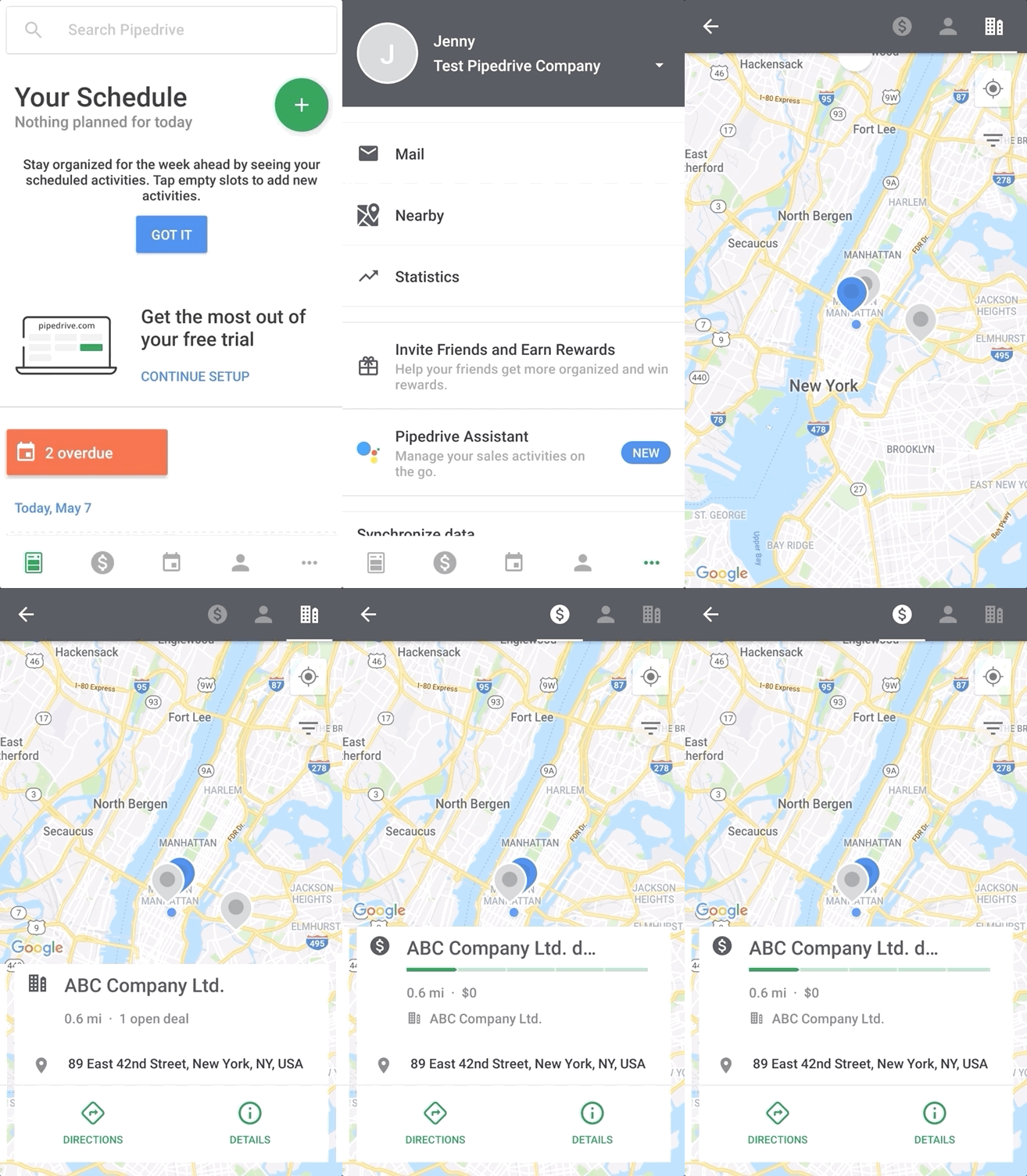
From there, you can filter your locations by switching between the deal icon, organization icon and people icon in the top right corner of the screen.
If you want to further filter the results on the map, you can click on the filter icon in the top-right corner under the geo-locator icon and apply any custom or default filters accordingly.
After you find the address you’re looking for, you can view details for that deal or contact, or open the address in your navigation app to get on your way.
Was this article helpful?
Yes
No