Why don’t my emails show up as activities
The activities list view only shows items that are recorded as activities, like calls, meetings, tasks or emails you’ve added as activities. Emails you send or receive through email sync aren’t automatically activities. They’re a separate type of item in Pipedrive.
If you want an email to show up in your activities list view, you can either turn on the option to automatically add a completed activity alongside emails sent through Pipedrive, or add an activity yourself for any email, including ones sent outside Pipedrive.
Add your emails as activities automatically
When you send an email from Sales Inbox or a detail view, Pipedrive can add an activity alongside it.
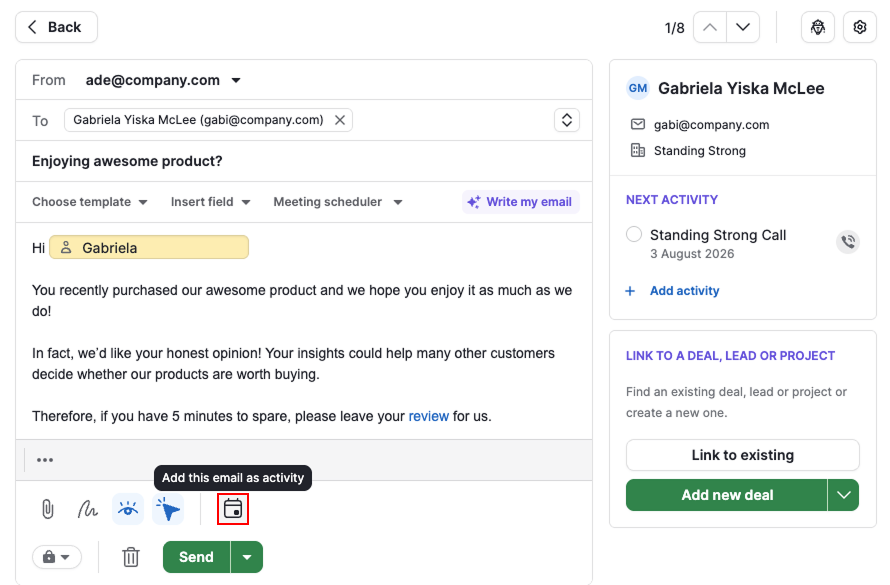
The email is still sent as normal, this option just adds a matching activity so your email effort shows up in your activity performance report without extra manual work.
Add email activities manually
You can add any email as an activity yourself, using the “Email“ activity type.
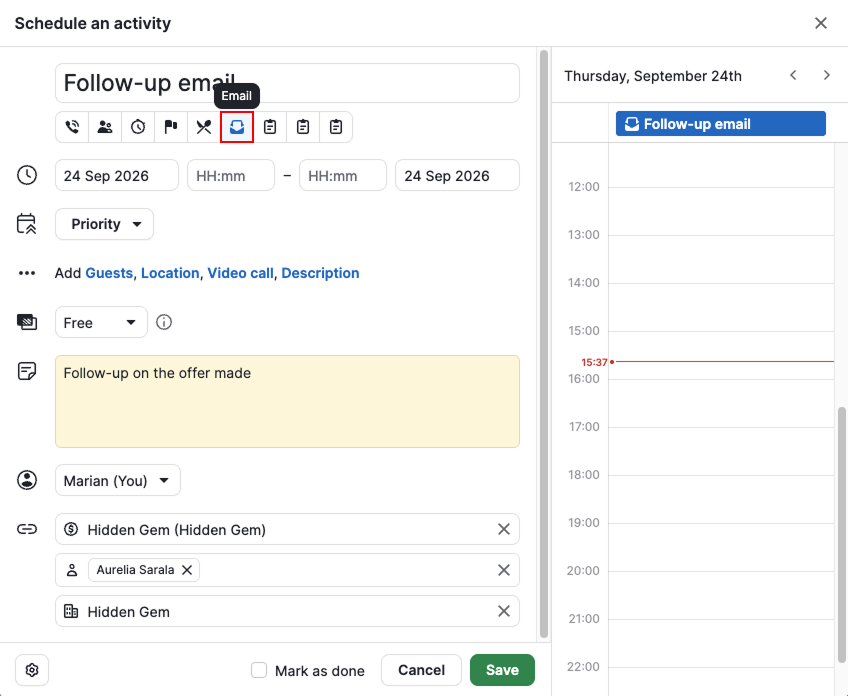
This is useful if you haven’t connected email sync but still want to show that an email was sent, such as one sent from Gmail, Outlook or another email provider outside Pipedrive.
Was this article helpful?
Yes
No