How can I move deals to another pipeline?
You can move deals to a different pipeline and stage at any time to align with your current sales process.
If you often move deals between pipelines, review your pipeline structure to ensure it reflects how your team works. For guidance on setting up your sales process, see our pipeline design article.
Move deals to another pipeline
There are three ways in Pipedrive to move deals to another pipeline, depending on how you prefer to work.
Pipeline view
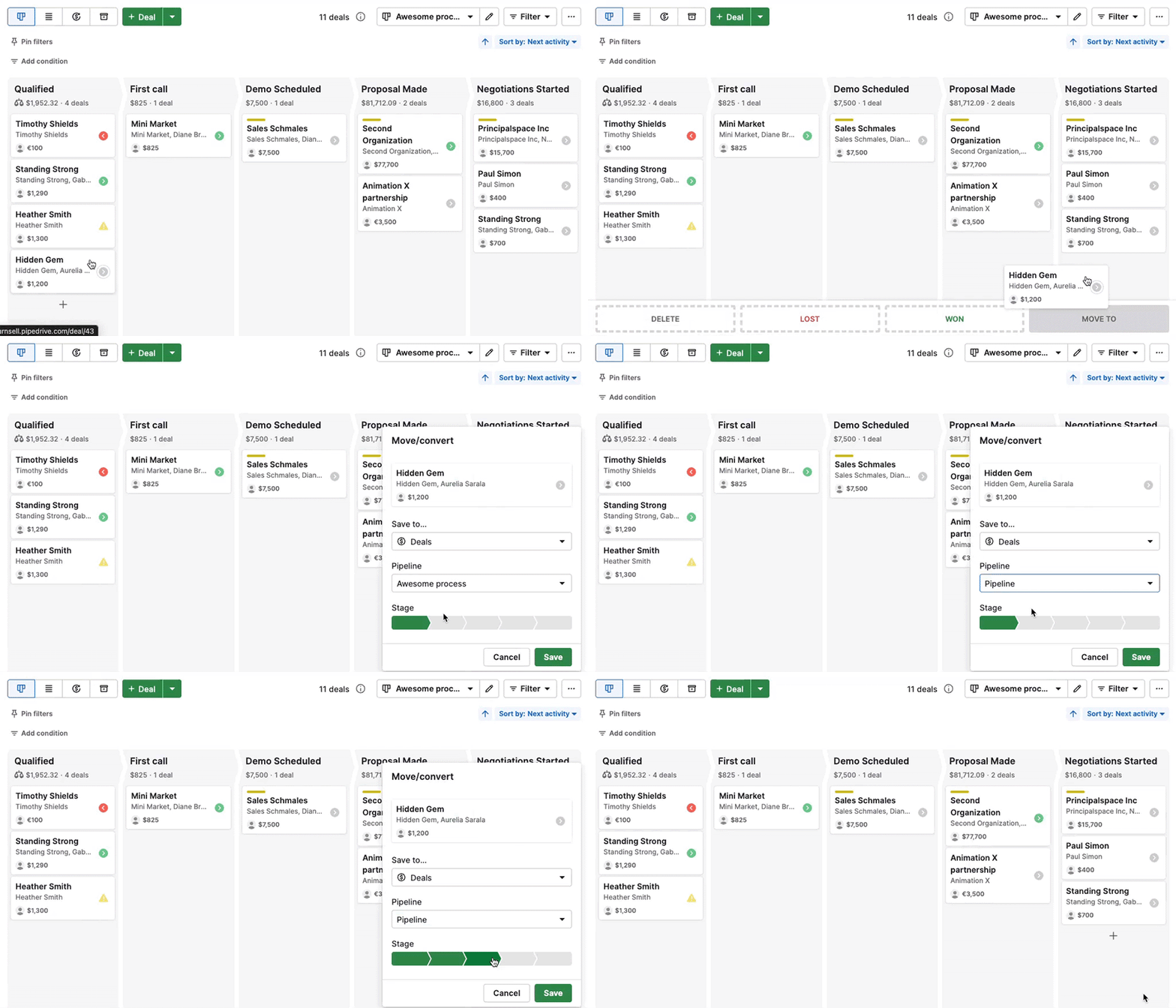
In the pipeline view, you can quickly move a deal using drag and drop.
Drag the deal card to the “Move to” option, then choose the pipeline and stage you want.
Deal list view
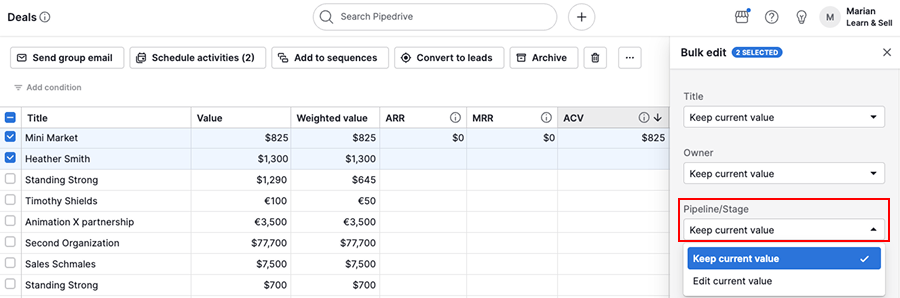
In the deal list view, you can update one or multiple deals at once using the bulk edit tool.
Select the deals you want to move, then update the pipeline and stage.
Deal detail view
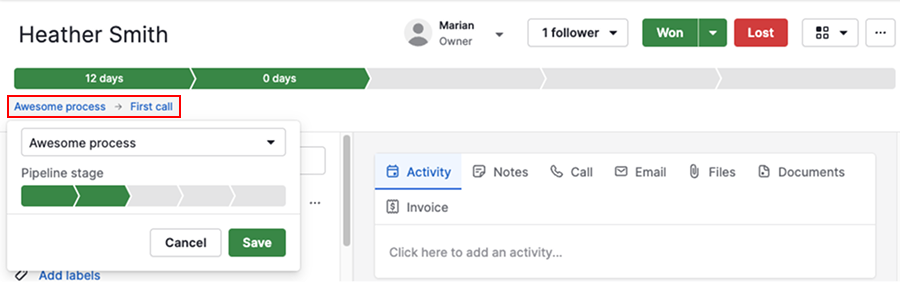
In the deal detail view, you can move a single deal directly from its page.
Under the deal progress bar, click the current pipeline and stage. Then use the dropdown to select a different pipeline and stage.
Was this article helpful?
Yes
No