Lost reasons
No matter how good of a salesperson you are, some deals just won‘t go through.
When you mark a deal as lost, providing a reason helps you understand trends and circumstances when you look back at your deal history.
Freeform and predefined lost reasons
Freeform lost reasons |
|
Predefined lost reasons |
|
Both options let you add extra comments about why that specific deal was marked as lost.
These comments are saved as a note on the deal, so you can always refer back to the details later.
Mark a deal as lost
To use your lost reasons, mark a deal in your Pipedrive account as lost. You’ll see a prompt asking for a reason.
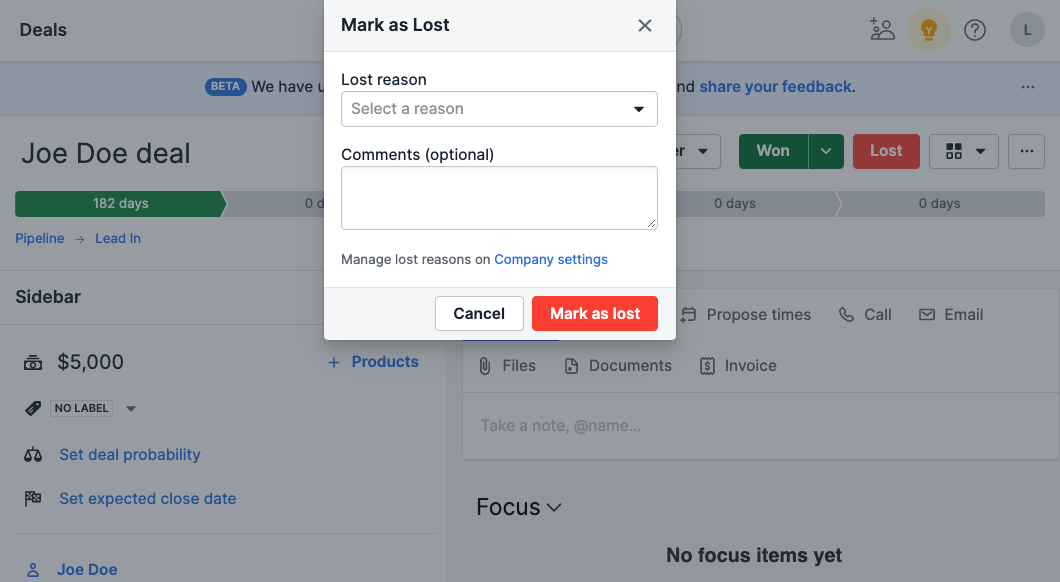
Provide your insight as to why the deal was lost, including any extra comments, and click “Mark as lost”.
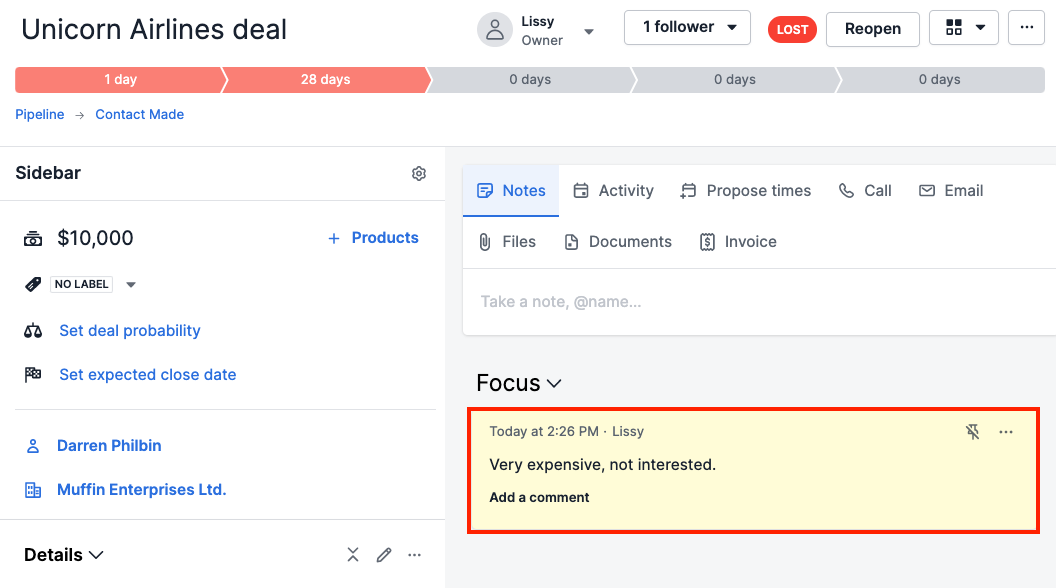
The deal’s status changes to lost, and the reason you provided appears in the details section of that deal’s detail view.
Any additional comments are saved as a note, viewable in the same detail view.
Track lost reasons
Using this information, you can spot trends in your sales, like a customer category that rarely closes at certain times of year, or a competitor pulling customers away from you.
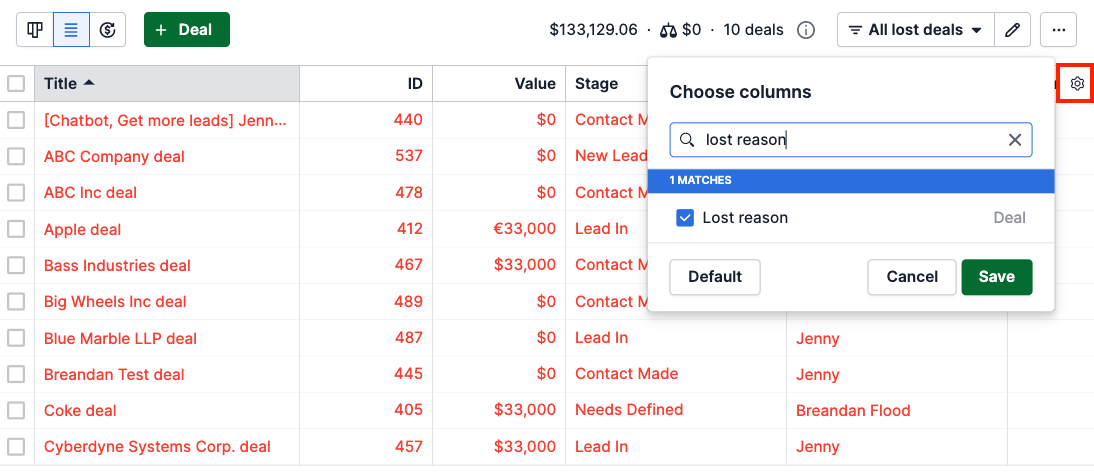
To see your lost reasons in list view:
- Go to the deals tab and switch to the list view
- Use the filter to find lost deals
- Click the gear icon on the right
- Select or search for the lost reason column to add it to your list view, and click “Save”
With the lost reason column displayed, you’ll see the reason provided for each lost deal.
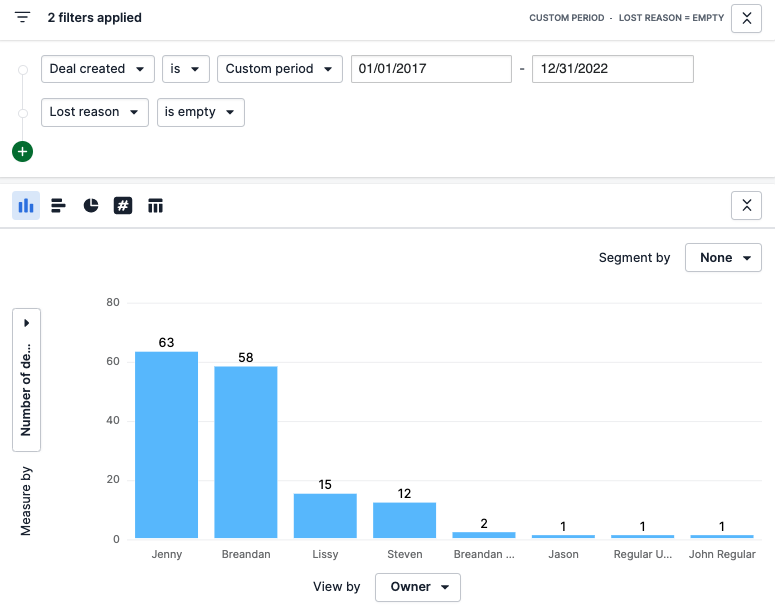
You can also track lost reasons in the Insights feature.
- Click the “Insights” icon in the left-hand navigation
- Click the plus “+” sign next to the search bar and select Report > Deal > Performance
- Adjust or remove the predefined date filter as needed
- Add a filter for lost reasons
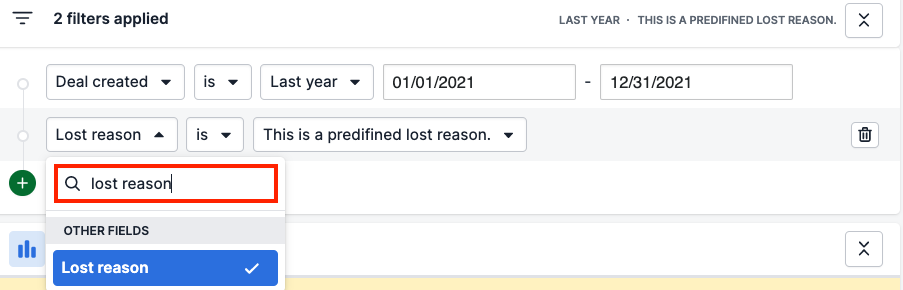
This view helps you understand why you‘re losing deals, using your own detailed data.
Learn more about deal performance reports in this article.
Was this article helpful?
Yes
No