Utiliser les notifications Slack avec Pipedrive Nova
Les notifications Slack vous informent de l’activité de Nova pendant que vous travaillez dans Slack. Une fois Slack connecté, Nova vous envoie un message direct privé dès qu’un briefing avant réunion ou un récapitulatif après réunion est prêt. Vous pouvez ouvrir la notification pour consulter l’intégralité du contenu dans Nova.
Conditions
Avant de connecter Slack, assurez-vous de disposer des éléments suivants :
- Un accès à Nova
- Un compte Slack
- L’autorisation d’installer des applications dans votre espace de travail Slack, ou un administrateur de cet espace pouvant approuver l’application Nova
Nova prend en charge un compte Slack connecté dans un seul espace de travail par utilisateur Nova.
Connecter Slack
Pour connecter Slack :
- Dans Nova, accédez à Paramètres > Connexion
- Recherchez Slack, puis cliquez sur Connecter
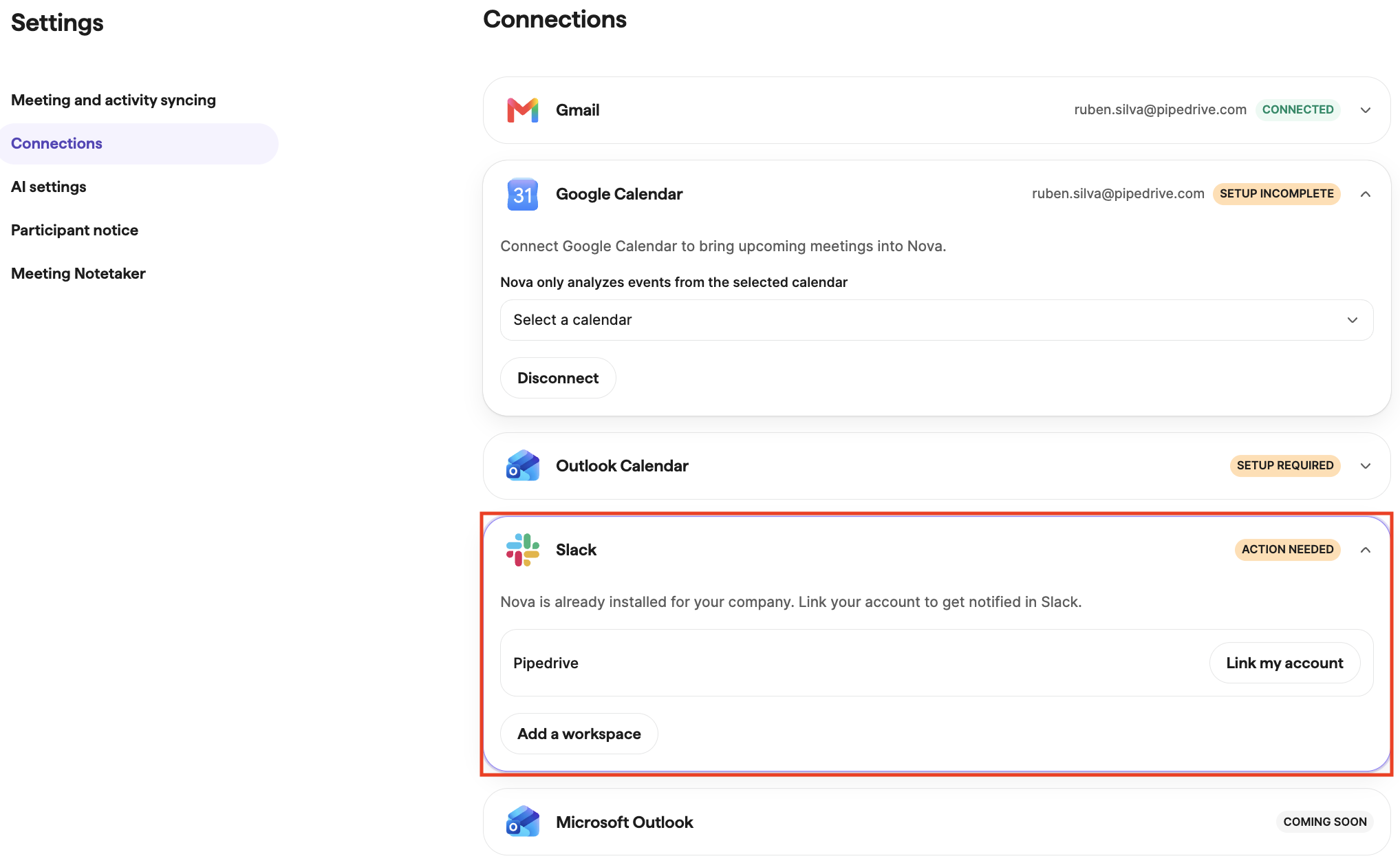
- Sélectionnez l’espace de travail Slack que vous souhaitez utiliser
- Suivez les instructions de Slack pour installer ou approuver l’application Nova. Si votre espace de travail limite l’installation d’applications, Slack envoie une demande d’approbation à un administrateur de cet espace.

- Suivez les instructions dans Nova pour associer votre compte Slack
Une fois la connexion active, Nova envoie des notifications pour les nouveaux briefings avant réunion et récapitulatifs après réunion. Nova n’envoie aucune notification pour le contenu généré avant la connexion de Slack.
Consulter les notifications reçues
Nova envoie des messages directs privés dans Slack dans les cas suivants :
- Un briefing avant réunion est prêt
- Un récapitulatif après réunion est prêt
Chaque notification fournit des informations contextuelles sur la réunion et des liens vers le contenu correspondant dans Nova. Selon la notification, vous pouvez ouvrir dans Nova le briefing, le résumé, la transcription ou les mises à jour proposées pour le CRM.
Nova envoie des notifications uniquement à votre compte Slack associé. Nova n’envoie aucune information sur les réunions dans les canaux publics ou partagés.
Gérer la connexion Slack
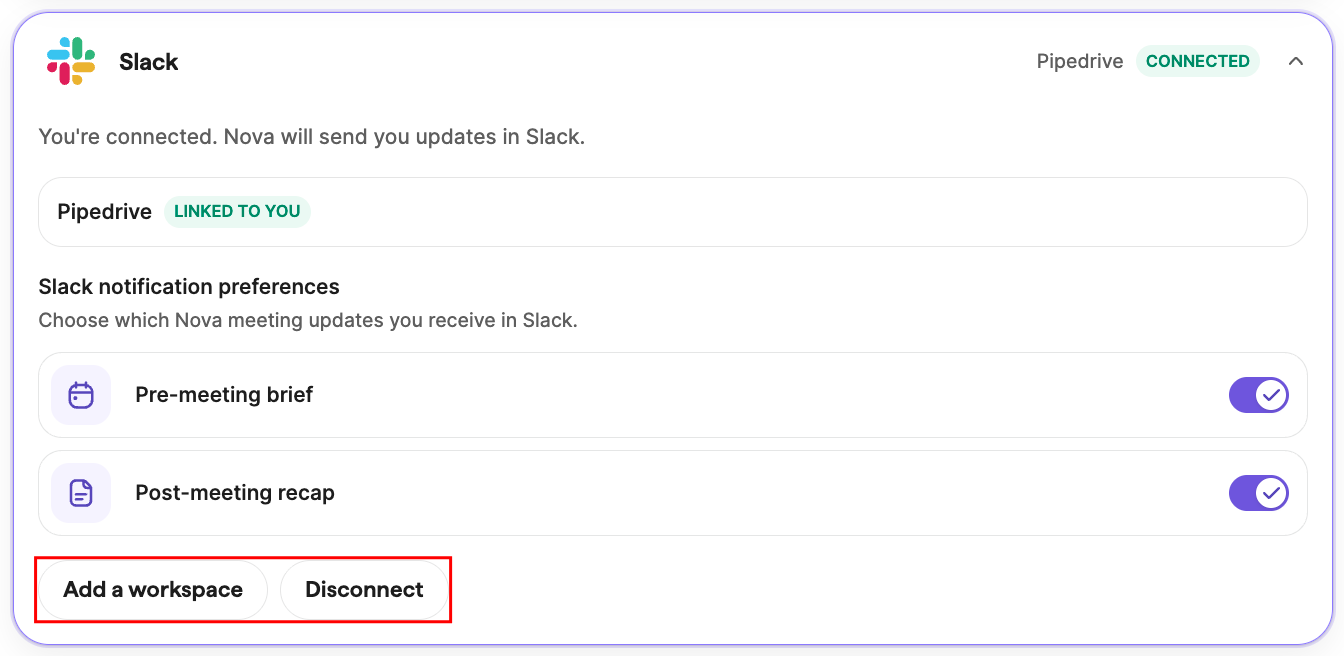
Pour consulter ou gérer votre connexion, accédez à Paramètres > Connexions dans Nova.
De là, vous pouvez :
- Déconnecter Slack
- Reconnecter Slack
- Connecter un autre compte ou espace de travail Slack après avoir déconnecté celui actuellement utilisé
Les messages déjà envoyés par Nova restent dans l’historique de vos messages directs Slack et sont soumis aux paramètres de conservation des messages de votre espace de travail.
Gérer les préférences de notification
Les notifications Slack sont actuellement gérées par un seul paramètre de connexion.
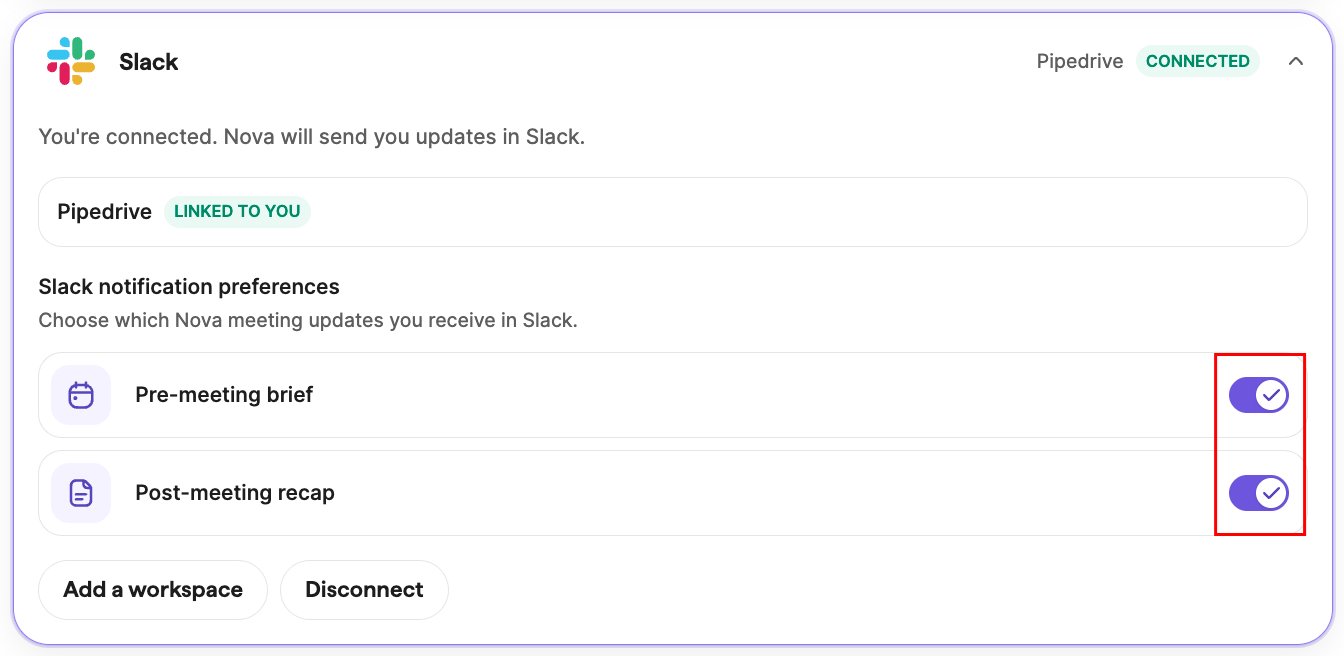
Pour arrêter toutes les notifications Slack, déconnectez Slack depuis Paramètres > Connexions. Vous pouvez le reconnecter à tout moment.
Comprendre la confidentialité et les autorisations
Nova utilise Slack uniquement pour envoyer des notifications à votre compte associé. L’application Nova ne lit pas l’historique de vos messages Slack et n’effectue aucune recherche dans votre espace de travail.
Nova respecte vos autorisations actuelles de visibilité et d’accès. Vous recevez uniquement des notifications pour le contenu Nova auquel vous êtes autorisé à accéder. Pour ouvrir le contenu associé, vous devez être connecté au compte Pipedrive et à l’entreprise appropriés.
Résoudre les problèmes
Résoudre un problème d’installation de l’application Nova
Votre espace de travail Slack peut limiter l’installation d’applications. Traitez la demande d’approbation dans Slack ou demandez à un administrateur de l’espace de travail d’approuver l’application Nova.
Résoudre l’absence de notifications lorsque Slack est connecté
- Vérifiez que vous avez associé le compte Slack sur lequel vous souhaitez recevoir les messages
- Vérifiez qu’un nouveau briefing avant réunion ou récapitulatif après réunion a été généré après la connexion de Slack
- Si l’application Nova a été supprimée de votre espace de travail ou si son accès a été révoqué, déconnectez puis reconnectez Slack depuis Paramètres > Connexions
Résoudre un problème d’ouverture du contenu depuis un lien de notification
Assurez-vous d’être connecté au compte Pipedrive et à l’entreprise associés à la notification. Si vous êtes déconnecté, suivez la procédure de connexion, puis ouvrez de nouveau le lien.
Corriger la connexion au mauvais compte ou espace de travail Slack
Accédez à Paramètres > Connexions, déconnectez Slack, puis reconnectez-le avec le compte et l’espace de travail que vous souhaitez utiliser.
Questions fréquentes
Nova peut-il envoyer des notifications dans un canal Slack ?
Non. Nova envoie uniquement des messages directs privés. La publication dans les canaux publics ou partagés n’est pas prise en charge.
Puis-je vérifier ou appliquer des mises à jour du CRM depuis Slack ?
Non. Les notifications Slack contiennent des liens qui ouvrent la page correspondante dans Nova, où vous pouvez vérifier et appliquer les mises à jour proposées pour le CRM.
Puis-je connecter plusieurs espaces de travail Slack ?
Non. Nova prend actuellement en charge un compte Slack connecté par utilisateur et par espace de travail.
Que deviennent mes messages Slack après la déconnexion ?
Nova cesse d’envoyer de nouvelles notifications, mais les messages déjà reçus restent dans Slack. Leur conservation est régie par les paramètres de votre espace de travail Slack.
Cet article a-t-il été utile ?
Oui
Non