Pipedrive Nova: descripción general
Nova es la nueva herramienta de inteligencia para reuniones integrada en Pipedrive que prepara a tu equipo para las reuniones, captura detalles clave durante las llamadas de ventas y después prepara borradores de actualizaciones del CRM.
Nova automatiza la preparación de reuniones y las actualizaciones del CRM para reducir el trabajo manual, de modo que puedas concentrarte en fortalecer relaciones con tus clientes y cerrar tratos.

Antes de cada reunión, Nova genera un resumen previo con tecnología de IA a partir de los datos de tu CRM, tus correos electrónicos, tu calendario y tu actividad reciente.
Durante la reunión, el asistente de notas con IA se une como participante visible para transcribir la conversación, o bien la aplicación de escritorio Nova Companion captura directamente el audio del sistema sin que se una un bot.
Después de la reunión, Nova genera un resumen, identifica acciones de seguimiento y sugiere actualizaciones en el CRM para que las revises antes de guardarlas.
Con Pipedrive Nova puedes:
- Prepararte para reuniones con resúmenes previos generados con IA
- Transcribir automáticamente las reuniones con el asistente de notas con IA (desde la aplicación de escritorio)
- Revisar resúmenes posteriores a la reunión, acciones pendientes y actualizaciones sugeridas del CRM
- Gestionar el consentimiento de los participantes para transcribir reuniones
- Compartir comentarios para mejorar las sugerencias de Nova
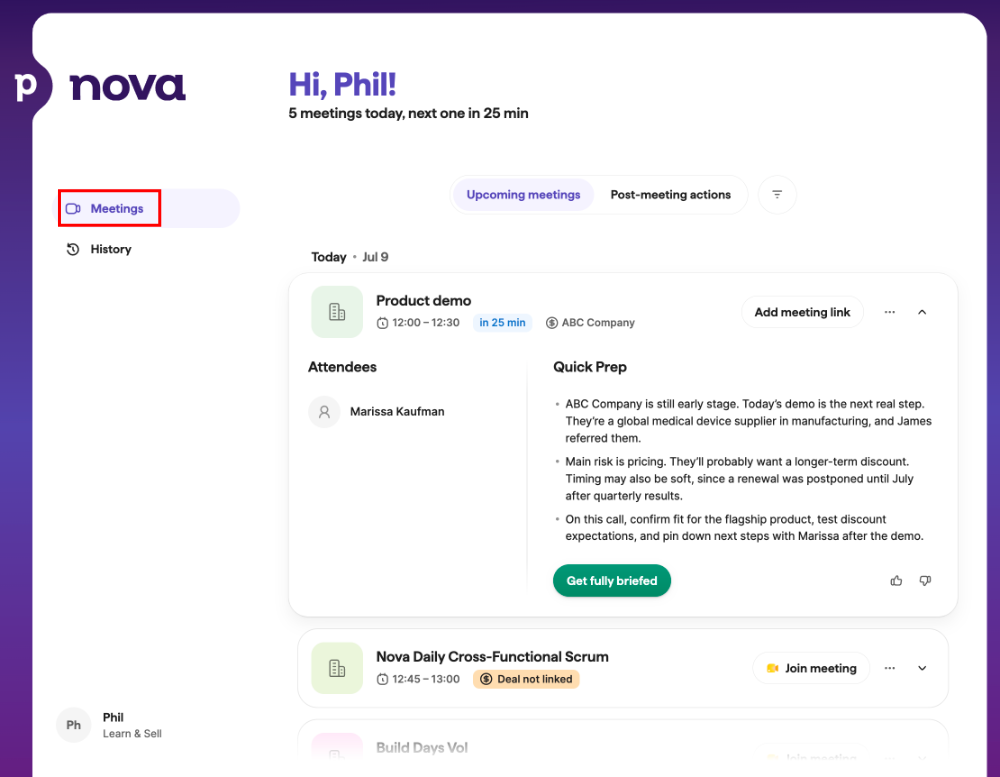
Qué hace Nova
Nova cubre todas las etapas del ciclo de una reunión, desde la preparación y la transcripción hasta el seguimiento posterior. Aquí tienes un resumen de lo que puedes hacer con Nova.
Resúmenes previos a las llamadas
Antes de una reunión, Nova genera un resumen previo con tecnología de IA a partir del contexto del trato, de la información de la organización, del historial del contacto y de la actividad reciente de tu CRM de Pipedrive, para que llegues preparado.
Grabación de llamadas con resúmenes y transcripciones
El asistente de notas con IA de Nova se une a tus reuniones de Google Meet, Zoom o Microsoft Teams como participante visible para transcribirlas automáticamente.
La aplicación de escritorio AI Companion de Nova funciona en macOS y Windows y transcribe reuniones de Zoom, Google Meet, Teams y cualquier otra herramienta de VoIP en tu computadora, así como reuniones presenciales que pueda captar el micrófono de tu computadora. Captura directamente el audio del sistema sin que el bot del asistente de notas se una a la llamada.
Revisa las acciones posteriores a la reunión
Después de una reunión, Nova genera un resumen, identifica acciones de seguimiento y sugiere actualizaciones del CRM para que las revises antes de aplicarlas.
Gestiona el consentimiento de los participantes
Nova puede avisar a los participantes que la reunión se transcribirá y permitirles dar o rechazar su consentimiento antes de que empiece.
Para ver instrucciones detalladas sobre estas funciones, consulta Reuniones con Nova.
Cómo encaja Nova en Pipedrive
Nova se abre en su propia pestaña, separada de la interfaz principal de Pipedrive. Reúne la preparación de reuniones, las transcripciones y las sugerencias generadas por IA en un solo espacio de trabajo, sin cambiar la forma en que gestionas tu CRM.
Nova no aplica automáticamente ninguna de sus sugerencias. Las actualizaciones sugeridas del CRM y los resúmenes de reunión solo se guardan en tus tratos, personas u organizaciones después de que los revises y apruebes. Hasta entonces, los datos existentes de tu CRM permanecen sin cambios.
No tienes que elegir entre trabajar en Pipedrive y en Nova. Sigue gestionando tu embudo y tus registros en Pipedrive, y cambia a Nova cuando quieras prepararte para una reunión, revisar una transcripción o aplicar sugerencias generadas por IA.
Envía comentarios
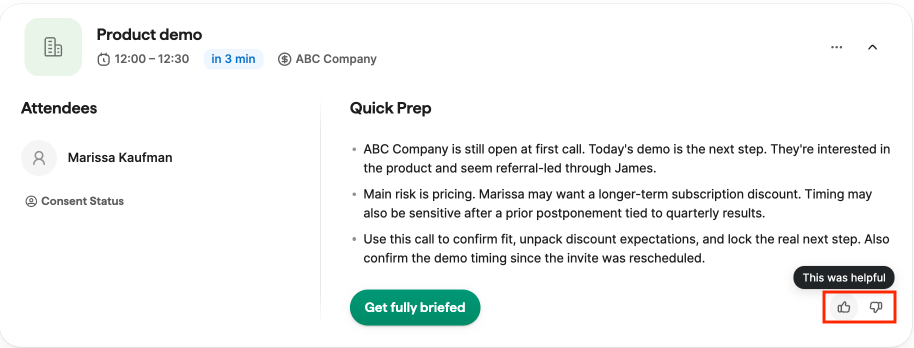
Tus comentarios ayudan a mejorar Nova. En todo Nova, puedes calificar el contenido generado por IA con los controles de pulgar arriba y pulgar abajo. Puedes enviar comentarios sobre funciones como los resúmenes previos a la reunión, los resúmenes posteriores y las sugerencias de actualización del CRM.
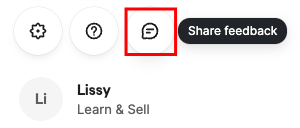
Para enviar comentarios más detallados, busca el ícono “Compartir comentarios” en la esquina inferior derecha, justo encima de tu nombre.
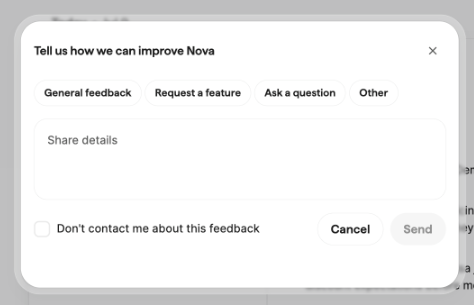
Puedes incluir detalles adicionales al enviar tus comentarios. Tus comentarios ayudan al equipo de Pipedrive a mejorar Nova y sus sugerencias generadas por IA con el tiempo.
¿Te pareció útil este artículo?
Sí
No